Table of Contents
- FlexClip: 10 Features for Faster, Easier Video
- Overview of FlexClip as an Online Video Editor
- Template Library and Categorization
- Core Editing Features
- AI Tools and Automated Video Creation
- Video Resolution and Export Options
- Collaboration and Cloud Storage
- Advanced Features for Enhanced Video Creation
- Frequently Asked Questions About FlexClip
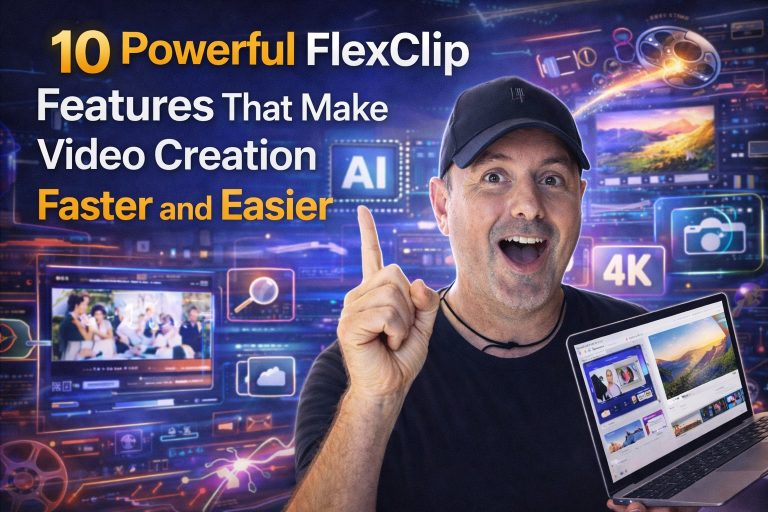
FlexClip: 10 Features for Faster, Easier Video
Creating compelling video content doesn’t have to be a complex, time-consuming ordeal. In today’s digital landscape, the right online video editor can make all the difference for businesses, marketers, and individual creators alike.
FlexClip emerges as a powerful contender, offering a suite of features designed to streamline video creation tools. This review will delve into its capabilities, focusing on how this FlexClip AI video editor empowers users to produce high-quality marketing videos and more, quickly and efficiently.
Overview of FlexClip as an Online Video Editor
FlexClip stands out as an intuitive online video editor, praised for its ease of use. It caters to both beginners and seasoned professionals, offering a comprehensive suite of tools that simplify the entire video creation process. With an extensive library of over 6,000 video templates, it’s a go-to platform for quick and impactful content.
The platform’s Artificial Intelligence Video Generation capabilities are a game-changer, integrating AI video generator features that streamline editing. This allows users to create stunning videos without extensive prior experience, making Online Video Editing accessible to everyone. Whether you need a business video maker or a free video maker for personal projects, FlexClip delivers measurable results.
Template Library and Categorization
The heart of FlexClip‘s efficiency lies in its vast video templates library. These templates are meticulously categorized to suit diverse needs, including Business, Store, Wedding, Slideshow, Marketing, and holiday events. This structured collection ensures you can quickly find the perfect starting point for any project, from a dynamic video slideshow maker to a professional intro outro maker.
This extensive resource significantly accelerates video creation. You can select a template, customize it with your content, and have a polished video ready in minutes. It’s an invaluable asset for anyone looking to produce compelling visuals without starting from scratch, bolstering your Social Media Content Strategy on platforms like Instagram and Facebook.
Core Editing Features
FlexClip provides a robust set of core editing features essential for crafting engaging videos. You can easily trim, merge, and adjust video speed, ensuring your content perfectly matches your vision.
Beyond these fundamental tools, you can add subtitles, incorporate a video voiceover, and animate video elements to bring your story to life. These features, combined with a vast library of stock music and sound effects, empower you to create visually rich and auditorily immersive experiences for commercial use video.
AI Tools and Automated Video Creation
FlexClip‘s commitment to innovation is evident in its advanced AI video generator. These Artificial Intelligence Video Generation tools significantly simplify and speed up content production. For instance, the AI video editor can help generate viral videos and AI-generated short films with remarkable efficiency. This makes complex tasks manageable, even for those new to Online Video Editing.
The platform’s AI capabilities extend to features like Text to Speech Voiceover and Automated Subtitling, reducing manual effort. While not yet rivaling advanced models like Sora 2, Google Veo 3.1, or Kling 3.0, FlexClip‘s AI offers powerful assistance for everyday video creation, ensuring high-quality output for your marketing videos.
Video Resolution and Export Options
When it comes to output quality, FlexClip doesn’t compromise. You can export your videos in stunning 4K video export resolution, ensuring crisp, professional-grade visuals. This Four K Resolution Export capability is crucial for content destined for high-definition displays and platforms like YouTube and Google.
The platform also offers seamless social media sharing options, allowing you to directly publish your creations to Instagram, Facebook, and other popular channels. This integration simplifies your workflow, ensuring your commercial use video reaches your audience efficiently, maintaining optimal quality across all platforms.
Collaboration and Cloud Storage
FlexClip is designed with teamwork in mind, offering robust features for video collaboration. Its integrated cloud storage ensures that all your projects are securely saved and accessible from anywhere, at any time. This Cloud Storage functionality is vital for teams working remotely or needing to share project files seamlessly.
The ability to collaborate on projects enhances workflow efficiency, allowing multiple team members to contribute to video creation. This ensures that your Branding Asset Management and branding assets remain consistent across all videos, streamlining the production of marketing videos and other content.
Overview of FlexClip as an Online Video Editor
FlexClip stands out as a powerful cloud-based AI video editor. It’s quickly gaining traction for its incredibly user-friendly interface and robust feature set. This platform truly simplifies the entire video creation process, making it accessible for both beginners and seasoned professionals looking to produce high-quality marketing videos or personal projects.
The platform boasts an extensive template library, featuring over 6,000 professionally designed video templates. This vast collection, combined with its AI-powered tools like the AI video generator, allows users to generate engaging videos with minimal effort. Think of it as your go-to free video maker for business video maker needs, social media sharing, and more.
FlexClip is built for efficiency and quality. It provides essential video creation tools, from an intro outro maker to advanced editing capabilities, ensuring your content stands out whether you’re creating a video slideshow maker presentation or a cinematic teaser.
Template Library and Categorization
FlexClip truly shines with its comprehensive template library, a standout feature that sets it apart as an effective online video editor. This isn’t just a basic collection; it’s a meticulously categorized resource, offering over 6,000 templates designed to meet diverse video creation needs.
You’ll find templates for specific purposes, including Business, Store, Wedding, Slideshow, Marketing, and various holiday events. This strategic categorization ensures you can quickly locate the perfect starting point for your project, saving valuable time and streamlining your video creation process. Whether you’re making business videos or personal projects, the sheer volume guarantees a fit for your vision.
The extensive range means you’re almost guaranteed to find something that perfectly fits your vision for marketing videos, social media content, or even a compelling Cinematic Teaser Creation. This feature significantly simplifies the initial steps of video production, even for those new to Online Video Editing.
| Template Category | Primary Use Case | Example Content |
|---|---|---|
| Business | Promotional, Corporate | Company intros, product showcases |
| Marketing | Advertising, Campaigns | Social media ads, landing page videos |
| Slideshow | Memories, Presentations | Photo montages, event recaps |
| Intro/Outro | Branding, YouTube | Channel intros, call-to-action outros |
| Social Media | Platform specific | Instagram Reels, Facebook Stories |
Core Editing Features
Beyond its impressive template library, FlexClip truly shines with a robust set of core editing features, positioning it as a comprehensive online video editor. These essential tools are vital for refining your content and ensuring it captures audience attention, whether you’re creating marketing videos or a personal video slideshow maker project.
You gain precise control over your footage. Easily trim video clips to remove unwanted segments, merge video clips to combine multiple shots, and even reverse video for unique visual effects. FlexClip also functions as an effective video speed controller, allowing you to adjust playback for dramatic or comedic impact.
Enhancing your content is straightforward. You can add text overlays, incorporate engaging subtitles, and utilize the platform’s video voiceover capabilities to narrate your story. The ability to animate video elements further elevates your production, making your content dynamic and professional. These tools are crucial for any business video maker aiming for high-quality output.
FlexClip supports adding a diverse range of stock music and sound effects, enriching the auditory experience of your videos. This comprehensive suite of tools makes it a go-to solution for producing professional-looking content, from commercial use video ads to compelling social media sharing clips. It simplifies complex tasks, ensuring your video creation process is faster and easier.
AI Tools and Automated Video Creation
FlexClip truly stands out with its powerful Artificial Intelligence Video Generation capabilities, simplifying complex tasks for every user. Its integrated AI video generator and smart video templates empower you to produce high-quality content rapidly, even without extensive prior editing experience. This positions FlexClip as a leading online video editor for efficiency.
You can leverage these advanced AI tools to create viral videos or even AI-generated short films with surprising ease. The platform integrates cutting-edge AI models such as Sora 2, Google Veo 3.1, Kling 3.0, Hailuo AI, Seedance 2.0, Seedream 5.0 Lite, and BlackEyeMedia70, ensuring you have access to the latest innovations in AI video editor technology.
Features like Text to Speech Voiceover and Automated Subtitling further automate your production process. This allows you to focus on the creative aspects of your video creation tools, rather than getting bogged down in manual adjustments. You can easily add subtitles to enhance accessibility and reach a broader audience on platforms like YouTube, Instagram, and Facebook.
Video Resolution and Export Options
Quality output is paramount for any video project, especially for commercial use video. FlexClip supports exporting videos up to 4K resolution, ensuring your content looks crisp and professional on any screen.
This online video editor excels in delivering high-definition results. You can produce stunning marketing videos or business video maker content that truly stands out, thanks to the Four K Resolution Export.
The platform also offers seamless sharing capabilities to popular social media platforms like Instagram and Facebook. This means you can create your content and distribute it directly from FlexClip, streamlining your social media content strategy.
The ability to produce high-resolution content and share it easily is a significant advantage for marketing videos and other professional applications. It reinforces FlexClip’s position as a leading AI video editor and overall video creation tools solution.
Collaboration and Cloud Storage
For teams and collaborators, FlexClip offers robust features to enhance workflow efficiency. It supports team collaboration, allowing multiple users to work on projects simultaneously. This makes it an ideal online video editor for businesses.
This is particularly useful for businesses that need to build and manage branding assets collectively. With integrated Cloud Storage, all your files and designs are easily accessible and shared among team members. This feature ensures everyone has access to the latest versions of your video creation tools, fostering a more productive environment.
FlexClip’s cloud storage and video collaboration capabilities minimize friction in project sharing. You can easily manage marketing videos or other commercial use video projects, knowing all your assets are secure and accessible. This commitment to streamlined workflows further solidifies FlexClip’s position as a comprehensive solution for online video editing.
Advanced Features for Enhanced Video Creation
FlexClip goes beyond basic editing, offering advanced functionalities that significantly elevate your video projects. These tools provide more creative control and polish, ensuring your content stands out. As a powerful online video editor, FlexClip is designed to meet diverse creative needs.
Frequently Asked Questions About FlexClip
As A.I. Tool Detective, we understand you have questions about leveraging powerful online video editor tools. Here are the most frequently asked questions about FlexClip, designed to provide clear, practical answers for your video creation needs.
What is FlexClip, and how does it simplify video creation?
FlexClip is a comprehensive online video editor and AI video generator engineered to help users create professional videos quickly and easily. It features an extensive library of over 6,000 video templates, robust editing tools, and cutting-edge AI-powered features. This makes it an ideal solution for various video creation needs, from marketing videos to personal projects, streamlining the entire production process.
Can I use FlexClip as a free video maker, or is a paid subscription required?
Yes, FlexClip offers a free version that includes essential features, allowing you to get started with video creation without immediate cost. However, for advanced functionalities such as 4K video export, increased cloud storage, premium video templates, and full commercial use video rights, a paid subscription is required. This tiered approach ensures flexibility for all users, from casual creators to businesses requiring high-end capabilities.
What types of videos can I create with FlexClip’s extensive template library?
You can create a diverse range of videos with FlexClip, thanks to its extensive and categorized template library. This includes high-impact marketing videos, professional business videos, engaging video slideshows, custom intro outro makers, and dynamic social media content for platforms like Instagram and Facebook. Its templates cater to specific use cases such as Store promotions, Wedding highlights, and holiday events, making it a versatile business video maker.
Does FlexClip support team collaboration and cloud storage for projects?
Absolutely. FlexClip is designed with team efficiency in mind, offering robust features for video collaboration and secure cloud storage. This functionality allows teams to work together on projects seamlessly, ensuring efficient file sharing and consistent branding assets management. It’s an invaluable tool for collective video production, enhancing workflow and productivity.
What advanced AI features does FlexClip offer for automated video creation?
FlexClip integrates various advanced AI tools to accelerate and enhance your video creation. These include an AI video generator, text to speech voiceover, automated subtitling, and AI-powered hacks for creating engaging content. It leverages sophisticated AI models, akin to the capabilities seen in Artificial Intelligence Video Generation tools like Sora 2, Google Veo 3.1, and Kling 3.0, to deliver enhanced functionality and help you produce viral videos or even AI-generated short films.
What are FlexClip’s core editing features for creating engaging videos?
FlexClip provides a comprehensive suite of core editing features essential for producing polished and engaging content. You can easily trim video clips, merge video clips, reverse video, and use the video speed controller to adjust pacing. Additionally, you can add subtitles with automated subtitling, integrate video voiceover, and animate video elements to bring your vision to life. These tools are crucial for creating dynamic and professional videos that capture audience attention.
How does FlexClip support high-quality video resolution and social media sharing?
FlexClip prioritizes high-quality output, allowing you to export videos up to 4K video export resolution. This ensures your content looks crisp and professional on any screen. The platform also offers seamless social media sharing options, making it easy to publish your creations directly to platforms like YouTube, Instagram, and Facebook. This combination of high resolution and direct sharing capabilities is key for maximizing your content’s reach and impact.