WP Link Checker – Smart Broken Link Monitoring, Repair & WordPress Link Health Management
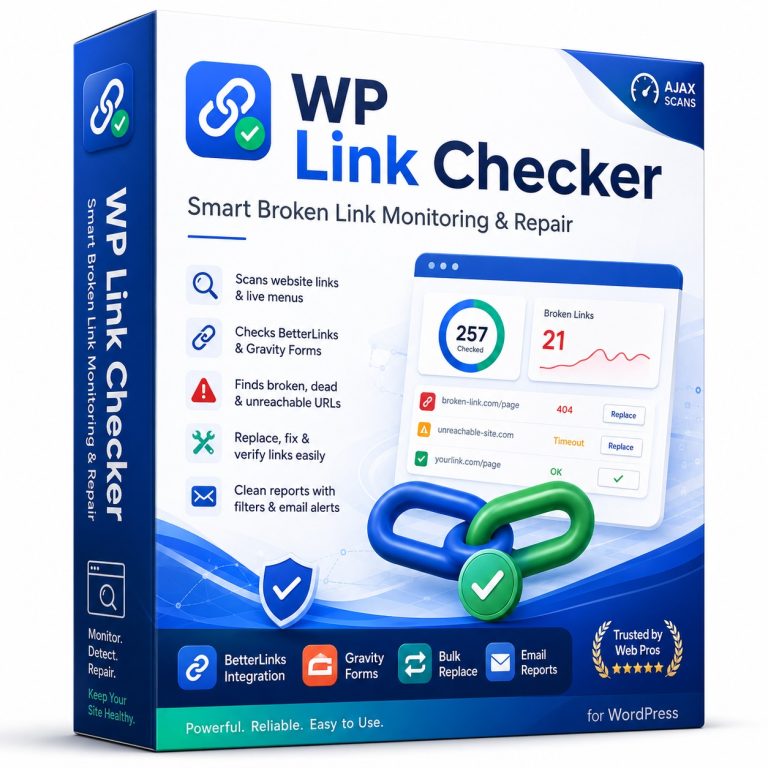
WP Link Checker is a powerful WordPress link monitoring and management plugin designed to help website owners, marketers, affiliate marketers, agencies, bloggers, and developers keep their websites clean, healthy, professional, and conversion-ready.
Broken links are more than an inconvenience.
They can frustrate visitors, damage trust, waste affiliate traffic, reduce conversions, create poor user experiences, and leave important pages pointing to websites or offers that no longer exist.
WP Link Checker gives you a practical way to discover these problems before your visitors do.
Instead of manually opening hundreds or even thousands of links across your website, WP Link Checker scans your WordPress installation, verifies link health, identifies where problematic URLs are located, and gives you the tools to repair, replace, disable, approve, disapprove, or manage affected content directly from one clean dashboard.
And unlike simple broken-link scanners, WP Link Checker has been designed with real WordPress websites, affiliate links, redirects, tracking platforms, Gravity Forms directories, BetterLinks redirects, Cloudflare protection, AJAX resource limits, and modern page builders in mind.
Know Exactly What Is Happening With Your Website Links
WP Link Checker provides a clear overview of your link health.
At a glance, you can see statistics including:
- Total links discovered
- Unique URLs
- Working links
- Fixed links
- Broken links
- Links that need rechecking
- Internal links
- External links
- Live menu links
- Front-end generated links
- BetterLinks destinations
- Gravity Forms Affiliate Link entries
Instead of receiving a vague message that “your website contains broken links,” WP Link Checker tells you what the link is, where it was found, what happened when it was checked, and what you can do about it.
Find Real Broken Links
The plugin recognizes several conditions that can indicate a genuinely unusable link.
These include:
HTTP 404 – Not Found
The destination no longer exists or the URL is incorrect.
HTTP 410 – Gone
The destination has explicitly been permanently removed.
HTTP 500 – Server Error
The link leads to a destination currently returning a serious server-side error.
DNS Failures
If the destination domain can no longer be resolved, WP Link Checker can identify the domain as unavailable rather than silently ignoring it.
Connection and Request Timeouts
URLs that repeatedly fail because the remote server cannot respond within the configured timeout can also be treated as actionable problematic links.
This is especially useful for old affiliate programs, abandoned services, expired domains, discontinued products, and websites that have disappeared completely.
Smarter Handling of Affiliate and Protected Links
Anyone working with affiliate marketing knows that checking affiliate URLs is not as simple as requesting the URL and expecting HTTP 200.
Affiliate platforms, tracking networks, Cloudflare, anti-bot systems, and security services often behave differently when a link is accessed by an automated scanner.
A perfectly valid affiliate URL may return:
- HTTP 403
- HTTP 429
- HTTP 503
- Redirect chains
- Automated request blocks
- Temporary connection errors
WP Link Checker understands this difference.
Instead of automatically calling every unusual response “broken,” it can classify links as:
Protected / Tracking
Temporary
Blocked
Unverified
Needs Recheck
This greatly reduces false alarms when working with platforms such as affiliate networks, tracking systems, redirect services, and protected websites.
And if you manually test one of these links and confirm that it works normally, you can simply choose:
Mark Fixed
The current report will record the link as manually verified while the URL remains eligible for normal checking during future scans.
Replace Broken Links Directly From the Dashboard
Discovering a broken link is only useful if you can do something about it.
WP Link Checker allows you to replace problematic URLs directly from the report.
Enter the new destination and choose:
Replace Now
The plugin verifies the replacement and updates the relevant WordPress content.
Once successfully repaired, the link can immediately be marked:
Fixed
You do not need to perform an entire new website scan simply to confirm every URL you have just repaired.
Powerful Bulk Link Replacement
Large websites can contain the same obsolete URL many times.
Replacing each one manually would be extremely time-consuming.
WP Link Checker includes bulk actions that allow you to:
- Filter your report.
- Select multiple actionable links.
- Enter one replacement URL.
- Fill the replacement into the selected rows.
- Apply the changes together.
This is extremely useful when replacing:
- Old affiliate links
- Expired promotions
- Discontinued services
- Old company domains
- Campaign URLs
- Tracking links
- Removed landing pages
Handles Difficult and Malformed URLs
Real-world WordPress content is not always clean.
Links can sometimes contain accidental characters introduced through copy and paste, imported content, editors, AI tools, HTML encoding, or page builders.
WP Link Checker includes advanced handling for malformed URLs containing characters or encodings such as:
- Straight quotes
- Smart quotes
- HTML entities
- Encoded quotation marks
- URL-encoded characters
- JSON-escaped URLs
It can locate different stored representations of the same problematic URL and attempt to repair the actual source.
Deep WordPress Replacement Engine
Some URLs are easy to replace because they exist directly inside normal WordPress post content.
Others can be generated from:
- Elementor
- Post meta
- Custom fields
- Reusable blocks
- Synced blocks
- Shortcodes
- Imported data
- Other plugins
- Dynamic front-end output
WP Link Checker goes deeper than a basic text search.
Its replacement engine can inspect multiple WordPress storage locations and, when required, apply front-end link correction so that the visitor actually receives the repaired destination.
Most importantly, the plugin can verify the real public front-end output before considering a replacement successfully fixed.
That means a link is not simply marked repaired because a database operation succeeded.
WP Link Checker checks whether your visitor is actually receiving the corrected link.
Live WordPress Menu Checking
Navigation links are some of the most important URLs on any website.
A broken menu link can immediately affect navigation, conversions, usability, and credibility.
WP Link Checker can discover links associated with:
- Active classic WordPress menu locations
- WordPress Navigation blocks
- Theme navigation areas
- Header links
- Footer links
- Front-end navigation elements
The plugin focuses on live and active front-end navigation, rather than automatically treating every old unused menu stored in WordPress as part of your current website.
Front-End Link Detection
Not every visible link lives inside a normal WordPress page.
Themes and plugins can generate links dynamically in areas such as:
- Headers
- Footers
- Navigation
- Support links
- Dynamic templates
WP Link Checker performs a lightweight front-end inspection to catch links that would otherwise be missed.
Special system URLs such as Cloudflare Email Address Obfuscation endpoints can be recognized so they do not incorrectly inflate your broken-link count.
BetterLinks Health Check
If you use BetterLinks, WP Link Checker adds a dedicated health-check workflow.
The BetterLinks scan is completely separate from the normal Website Scan.
This allows you to check the destination URLs behind your BetterLinks redirects without mixing them into your ordinary WordPress content report.
You can view:
- BetterLinks destination URL
- Redirect behavior
- Working status
- Broken status
- Protected/tracking status
- HTTP response
- Management link
Internal BetterLinks redirects can also be recognized locally, helping avoid false failures when the final affiliate network blocks automated scanning.
Gravity Forms & GravityView Integration
One of the most powerful features of WP Link Checker is its optional Gravity Forms entry health scanner.
If your website uses Gravity Forms to build directories, marketplaces, affiliate opportunity databases, listings, submissions, or user-generated content, WP Link Checker can scan a specific URL field inside active entries.
For example, you can configure:
Affiliate Link No1
and the plugin will focus only on that field.
This avoids wasting resources checking image URLs, banner files, descriptions, secondary URLs, or unrelated fields.
For each Gravity Forms entry you can see:
- Form
- Entry ID
- Entry title/name
- Affiliate Link
- Current GravityView approval status
- Link health
- HTTP result
Manage GravityView Entries Without Leaving WP Link Checker
Problematic directory entries can be managed directly from the report.
Available actions can include:
Replace
Change the Affiliate Link directly.
Open Entry
Jump straight to the corresponding Gravity Forms entry.
Disapprove
Disable the entry from approved GravityView listings.
Trash Entry
Move the Gravity Forms entry to Trash.
Approve / Re-enable
Bring a previously disapproved entry back online.
This creates a very efficient workflow for maintaining directories containing hundreds or thousands of submitted opportunities.
Skip Disapproved GravityView Entries
If a GravityView entry has already been disapproved, there is usually no reason to continue consuming server resources checking its affiliate URL.
WP Link Checker can automatically skip disapproved GravityView entries during future health scans.
When you approve the entry again, it automatically becomes eligible for future scans.
AJAX & Resource-Safe Background Scanning
Link checking can become resource-intensive very quickly.
Hundreds of remote requests running inside one PHP process can cause:
- PHP-FPM exhaustion
- Cloudflare timeouts
- HTTP 524 errors
- Slow WordPress administration
- Server overload
WP Link Checker was specifically designed to avoid this problem.
Scans are broken into small AJAX batches.
Remote URLs are checked progressively rather than attempting to process the entire website in one PHP request.
This provides several advantages:
- Lower PHP resource usage
- Reduced timeout risk
- Better compatibility with shared hosting and VPS environments
- Visible progress
- Recoverable scans
- Background continuation
Stop and Resume Scans
You remain in control.
If a scan is running and you want to stop it, simply choose:
Stop Scan
The plugin saves the existing state and stops processing additional batches.
If temporary AJAX or server problems interrupt processing, the plugin can retry rather than immediately abandoning the entire scan.
A Resume option can also become available when appropriate.
Configure the Per-URL Timeout
Every hosting environment is different.
WP Link Checker allows you to control how long a remote URL is allowed to respond.
A conservative timeout helps keep your server responsive while still giving remote websites enough time to answer.
For many sites, approximately 5–6 seconds provides a good balance.
Powerful Result Filters
Large reports remain manageable thanks to built-in filtering.
You can filter according to:
- URL or link text
- Page/form/entry
- Status
- Source
- Internal/external type
- HTTP result
- Available action
This means you can instantly isolate situations such as:
Only Broken Gravity Forms links
Only 404 errors
Only external links
Only links requiring replacement
Only Unverified entries
Only BetterLinks results
Search also understands entry titles, making it easy to locate a specific product, service, opportunity, or affiliate campaign.
Email Reports With Your Own Rules
Not everyone wants an email containing every successful URL.
WP Link Checker allows you to control which link statuses are important enough to include in notifications.
You can choose whether emails should contain:
- Broken links
- Protected/tracking links
- Temporary failures
- Blocked URLs
- Unverified URLs
- Redirects
- Working links
- Fixed links
You can also filter notification behavior by scan source.
For example, you could configure the plugin to notify you only when:
A Gravity Forms Affiliate Link is genuinely broken
while ignoring working links and protected affiliate networks.
Automatic Scheduled Scanning
Automatic Website Scanning is optional.
It is disabled by default, preventing unexpected scans immediately after installation.
When enabled, you can select an appropriate frequency such as:
- Hourly
- Twice daily
- Daily
- Weekly
Manual scans remain available whenever you want them.
Report History & Automatic Cleanup
Link reports contain valuable historical information, but storing an unlimited number forever is unnecessary.
WP Link Checker includes report-retention controls.
You can automatically remove reports based on:
Age
For example:
Delete reports older than 6 months.
Number of scans
For example:
Keep only the latest 20 completed scans.
Cleanup removes both the scan record and associated stored link rows, keeping the WordPress database under control.
Active scans are protected from cleanup.
Designed for Real Website Maintenance
WP Link Checker is particularly useful for:
- WordPress administrators
- Affiliate marketers
- Bloggers
- SEO professionals
- Digital agencies
- WooCommerce website owners
- Marketing directories
- Affiliate opportunity websites
- Content-heavy websites
- Membership websites
- Review websites
- News and magazine websites
- Client maintenance services
Protect Your SEO, Visitors and Revenue
A broken link can mean much more than an ugly 404.
Imagine a visitor reading your review, becoming interested in the product, clicking your affiliate link…and discovering that the offer disappeared months ago.
That visitor may never return.
Now multiply that problem across hundreds of old posts.
WP Link Checker helps you continuously identify these problems and repair them while your content still has value.
Internal link health can also support better navigation and website structure, while replacing outdated external URLs helps maintain the quality and credibility of older content.
A Complete WordPress Link Health Dashboard
WP Link Checker combines functionality that would otherwise require several different workflows:
Website Link Scanner
Broken Link Detector
Internal Link Checker
External Link Checker
Menu Link Checker
Affiliate Link Monitor
BetterLinks Health Checker
Gravity Forms Affiliate Link Scanner
GravityView Entry Manager
Bulk URL Replacement Tool
Manual Link Verification
Scheduled Link Monitoring
Email Reporting
Historical Scan Management
—all from inside WordPress.
Why WP Link Checker?
Because checking whether a URL returns something is easy.
Managing link health correctly on a real WordPress website is much harder.
WP Link Checker has been designed around real-world situations such as:
- Affiliate networks blocking bots
- Expired domains
- DNS failures
- Redirect chains
- Cloudflare protection
- Malformed URLs
- Page-builder content
- Dynamic front-end links
- BetterLinks redirects
- User-submitted Gravity Forms entries
- GravityView approval workflows
- PHP resource limits
- Long-running scans
- Thousands of discovered link occurrences
The result is a practical WordPress maintenance tool that doesn’t simply tell you something is wrong.
It helps you find it, understand it, manage it, and fix it.
Keep Every Important Click Working
Your visitors should never discover broken links before you do.
With WP Link Checker, you can continuously monitor your WordPress link health, identify dead destinations, maintain affiliate campaigns, clean up outdated content, manage directory entries, and repair important URLs from one centralized dashboard.
Scan smarter. Find broken links. Fix them faster. Keep your WordPress website healthy.