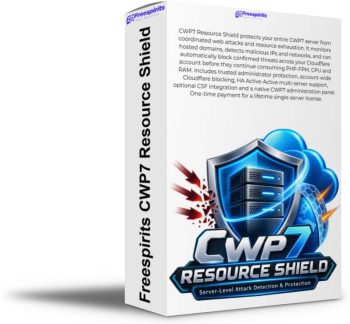
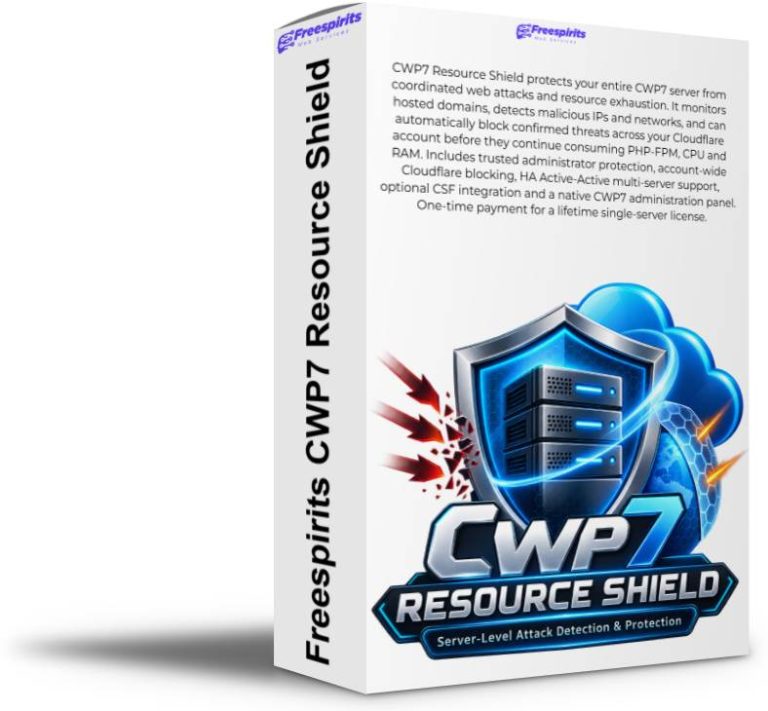
CWP7 Resource Shield – Server-Level Attack Detection & Cloudflare Protection
Launch Price: €79 – One-Time Payment / Lifetime License for 1 Server
CWP7 Resource Shield is a security and resource-protection module designed specifically for servers running Control Web Panel / CWP7.
It continuously monitors web traffic across the websites hosted on your CWP7 server, detects suspicious and coordinated attack patterns, identifies abusive IP addresses and networks, and can automatically block confirmed threats through Cloudflare at account level before they continue consuming PHP, CPU, RAM and other valuable server resources.
Unlike a traditional WordPress security plugin, CWP7 Resource Shield works at the server level. One installation can monitor the websites hosted on that CWP7 server instead of requiring a separate security plugin installation inside every WordPress website.
It was created to solve a very real hosting problem: a single attacked WordPress website, WooCommerce store or PHP application can generate enough PHP-FPM activity to make an entire hosting server slow, unstable or temporarily unavailable.
CWP7 Resource Shield is designed to identify this type of activity and react before unnecessary traffic continues exhausting your hosting resources.
What Does CWP7 Resource Shield Actually Do?
Imagine that you host 20, 50 or 100 websites on a CWP7 server.
One WooCommerce website suddenly starts receiving hundreds or thousands of requests against sensitive URLs such as:
/wp-login.php
/xmlrpc.php
/wp-cron.php
The requests may originate from many different IP addresses belonging to the same network.
Without additional protection, those requests can continue travelling through your infrastructure until PHP and WordPress process them.
By the time WordPress processes the request, server resources have already been consumed.
CWP7 Resource Shield continuously analyses this traffic.
When it detects a coordinated malicious pattern, it can automatically create a Cloudflare account-level block such as:
The malicious network can then be rejected at Cloudflare’s edge instead of repeatedly reaching your server.
The result is simple: less malicious traffic reaching PHP, lower unnecessary server load and better protection for legitimate websites and customers sharing the same server.
Built Specifically for CWP7 Servers
CWP7 Resource Shield is not another generic WordPress security plugin.
It runs directly on your CWP7 server and includes its own native CWP administration module.
After installation you can access Resource Shield directly from your Control Web Panel administrator interface.
The dashboard gives you quick access to information such as:
- Resource Shield status
- Protection mode
- Server load
- Requests being analysed
- Sensitive requests
- Unique requesting IPs
- Detected attacks
- Active blocks
- Cloudflare connectivity
- Cloudflare account-wide protection
- Trusted administrator networks
- HA multi-server protection
- Optional CSF integration
- License status
This gives a hosting administrator a central security view without having to open and inspect every individual website.
Protect All Cloudflare Websites From One Attack
One of the most powerful features of CWP7 Resource Shield is Cloudflare Account-Wide Protection.
If your domains belong to the same Cloudflare account, Resource Shield can create an account-level IP or network block.
For example, an attack may initially be detected against a website hosted on Server A.
Detected malicious network: 185.123.45.0/24
Resource Shield can create a Cloudflare account-level block for that malicious network.
That network can then be prevented from reaching other websites in the same Cloudflare account, including websites hosted on completely different servers.
This turns an attack discovered against one website into security intelligence capable of protecting the rest of your infrastructure.
HA Active-Active Multi-Server Protection
CWP7 Resource Shield supports an advanced High Availability Active-Active architecture.
This is especially useful for hosting companies, agencies, developers and administrators operating several CWP7 servers.
Every server can independently detect attacks and contribute to the same Cloudflare protection.
Each server can independently detect attacks.
Each server can use its own restricted Cloudflare API token.
All participating servers can contribute to the same account-wide protection system.
If Server B detects a dangerous network, it can block it globally.
If Server B later becomes unavailable, the Cloudflare block continues to exist. Server A and Server C can continue detecting and blocking new threats.
There is therefore no requirement for one Resource Shield installation to remain permanently online as a master server.
Protection Continues Even if a Server Goes Offline
Cloudflare blocks created by Resource Shield are stored inside your Cloudflare account.
They are not dependent on a Resource Shield PHP page remaining open or a specific server staying online every second.
If one Resource Shield server becomes temporarily unavailable, already-created Cloudflare protection remains active.
Other Resource Shield servers can continue detecting additional attacks.
This creates a much more resilient protection architecture for multi-server hosting environments.
Intelligent Network Detection
Attack traffic does not always originate from a single IP address.
Modern automated attacks frequently rotate through many IP addresses belonging to the same subnet.
Blocking only:
may accomplish very little if subsequent requests arrive from:
104.234.53.63
104.234.53.91
CWP7 Resource Shield is designed to recognise coordinated activity and can escalate protection to the corresponding network:
This can dramatically reduce the number of attack requests that reach the server.
At the same time, Resource Shield uses conservative automatic blocking logic designed to reduce the possibility of false positives.
Trusted Administrator Protection
Automatic blocking is useful only when legitimate administrators are protected from accidental blocking.
CWP7 Resource Shield therefore includes Trusted Administrator Access.
Trusted administrator connections can be excluded from Resource Shield’s automatic attack-blocking decisions.
For IPv6 connections, Resource Shield can work with the administrator’s IPv6 network rather than depending only on one temporary IPv6 address.
Resource Shield does not need to create a broad Cloudflare Allow rule for the administrator. The trusted network is simply excluded from Resource Shield’s own automated blocking logic.
Designed to Reduce PHP-FPM Resource Exhaustion
One of the most common reasons a WordPress hosting server becomes overloaded is not simply bandwidth consumption.
The real problem is expensive requests reaching PHP.
A relatively small number of malicious requests may create:
- multiple PHP-FPM workers
- heavy WordPress execution
- WooCommerce database queries
- WP-Cron activity
- Action Scheduler jobs
- plugin execution
- increased RAM consumption
- increased CPU consumption
Eventually the PHP-FPM pool may reach its maximum number of workers.
Legitimate visitors then start waiting and administrators may begin seeing errors such as:
503 Service Unavailable
504 Gateway Timeout
Resource Shield attempts to stop confirmed malicious traffic before it repeatedly reaches these expensive application layers.
Works Alongside CWP7 Cgroups
CWP7 Resource Shield does not replace Cgroups.
The two technologies solve different problems and work extremely well together.
Detect and block malicious traffic
Resource Shield helps prevent abusive traffic from consuming resources.
Cgroups help prevent a single hosting account from consuming unlimited server resources even when its traffic is legitimate or an application becomes unstable.
Optional CSF Integration
Resource Shield also supports optional local CSF firewall protection.
CSF can be useful for traffic that does not pass through Cloudflare, including:
- direct origin attacks
- SSH attacks
- SMTP attacks
- port scanning
- non-proxied services
- websites not using Cloudflare proxying
Cloudflare and CSF therefore protect different parts of the infrastructure.
CSF automation should only be enabled when the server is using a compatible and maintained CSF installation.
Monitor Mode and Protection Mode
Monitor Mode
Resource Shield analyses server activity and records detections without automatically creating new Cloudflare protection rules.
This is particularly useful immediately after installation while reviewing the normal behaviour of the server.
Protection Mode
Once configuration and licensing are complete, Protection Mode can be enabled.
Confirmed threats can then automatically trigger the configured Cloudflare protection system.
Commercial One-Server Licensing
The license is activated through the Freespirits licensing system.
During activation, the license becomes associated with the server installation.
A Resource Shield license follows a format similar to:
Once activated, the same single-server license cannot simply be copied and activated on another unrelated VPS.
If a legitimate server migration is required, contact Freespirits Web Services so the activation can be reviewed and reset.
€79 Lifetime License
Lifetime license for one activated CWP7 server.
No monthly Resource Shield subscription.
The lifetime license gives you the right to continue using the purchased licensed version on the activated server indefinitely.
Future new versions, major feature releases or upgrades are not automatically included unless explicitly stated.
You can continue using the purchased version without a recurring software fee and decide separately whether a future upgrade is useful for your environment.
Cloudflare Requirements
For automatic Cloudflare protection you need:
- A Cloudflare account
- Your domains added to the Cloudflare account
- A dedicated Cloudflare API Token
- The required account firewall permissions
For increased security, we strongly recommend creating a dedicated API token specifically for Resource Shield.
For multi-server installations, create a separate API token for every server and restrict each token to the corresponding server public IP whenever possible.
Do not use your Cloudflare Global API Key.
Installation
After purchase, download the current Resource Shield ZIP package and upload it to:
Example package:
Connect to your CWP7 server through SSH as root and run:
cd /root

unzip freespirits-resource-shield-v0.6.0.zip

cd freespirits-resource-shield-v0.6.0

chmod +x install.sh

./install.sh
After installation check the Resource Shield service:
systemctl status freespirits-resource-shield --no-pager -l
Then check Resource Shield:
resource-shield-ctl status
Open CWP7 and navigate to:
Enter your Resource Shield license key and activate your installation.
Then configure your Cloudflare Account ID and dedicated Cloudflare API Token.
Useful Resource Shield Commands
Check overall status:
resource-shield-ctl status
Check license:
resource-shield-ctl license-status
Validate license:
resource-shield-ctl license-validate
Display active blocks:
resource-shield-ctl blocks
Display trusted administrator networks:
resource-shield-ctl trusted
Display HA information:
resource-shield-ctl ha-info
View recent Resource Shield activity:
journalctl -u freespirits-resource-shield -n 100 --no-pager
Updating CWP7 Resource Shield
When you purchase or receive access to a newer Resource Shield version, download the new ZIP package and upload it to /root.
For example:
cd /root

unzip freespirits-resource-shield-v0.7.0.zip

cd freespirits-resource-shield-v0.7.0

chmod +x install.sh

./install.sh
The installer is designed to update the Resource Shield application while preserving existing configuration where supported.
After updating run:
resource-shield-ctl status
and:
systemctl status freespirits-resource-shield --no-pager
Always review the release notes supplied with a new version before upgrading a production server.
Who Is CWP7 Resource Shield For?
CWP7 Resource Shield is particularly useful for:
- CWP7 hosting providers
- web developers
- server administrators
- agencies hosting client websites
- WooCommerce hosting environments
- WordPress hosting environments
- hosting resellers
- VPS administrators
- multi-server infrastructures
- administrators using Cloudflare
- servers suffering repeated WordPress attacks
- servers experiencing PHP-FPM saturation
- administrators who want centralised attack visibility
It is especially valuable when multiple websites share the same server because an attack against one account may negatively affect the performance experienced by every other customer on that machine.
What CWP7 Resource Shield Is Not
Resource Shield is an additional security and server-resource protection layer.
It does not replace:
- secure passwords
- WordPress updates
- operating-system updates
- regular backups
- malware scanning
- Cloudflare configuration
- CSF
- Cgroups
- PHP-FPM tuning
- professional server administration
Instead, it complements these systems by concentrating on detecting abusive web traffic and preventing confirmed attack sources from repeatedly consuming expensive server resources.
A Practical Layered Defense for CWP7
A properly protected hosting server should not depend on one single security product.
Attack Detection + Automatic Blocking
Per-Account CPU / RAM / Disk Limits
Optional CSF protection can add another security layer for direct server traffic and services that operate outside Cloudflare.
Protect the Server, Not Just One Website
A WordPress security plugin sees one WordPress installation.
CWP7 Resource Shield sees the server.
It can observe activity affecting multiple hosted domains, recognise coordinated malicious networks, maintain attack history and automatically push confirmed threats outward to Cloudflare.
The objective is not simply to display another security report.
The objective is to reduce the amount of abusive traffic that is allowed to consume your server resources in the first place.
If you operate a CWP7 server and have experienced unexpected CPU spikes, PHP-FPM exhaustion, WordPress administrator attacks, repeated malicious requests or websites becoming slow because another account is under attack, CWP7 Resource Shield was created specifically for this type of hosting environment.