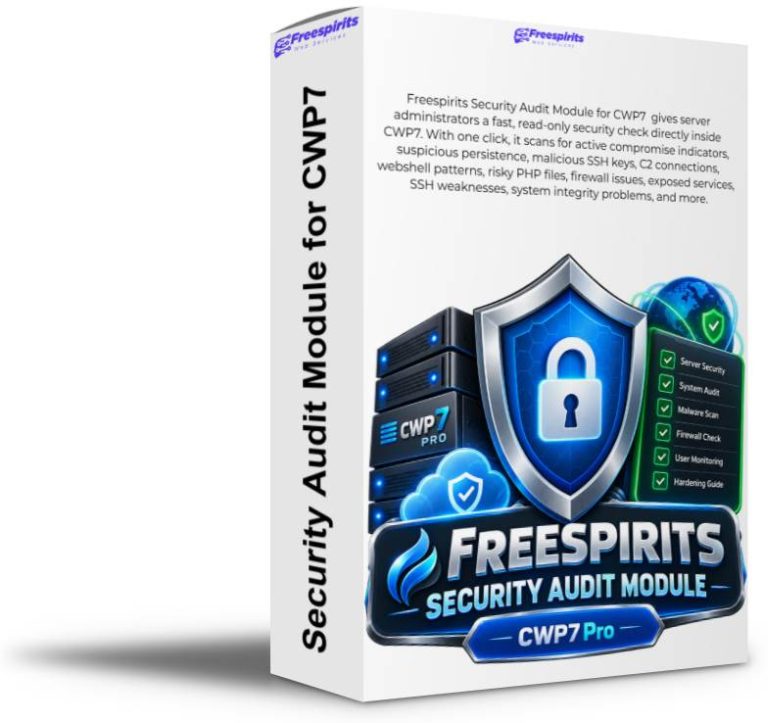
CWP7 Security Audit Module
Professional Read-Only Security Auditing for CWP7 Servers
Turn a complicated Linux security investigation into a structured, understandable security assessment directly inside your CWP7 administration panel.
Why Every Serious CWP7 Administrator Needs Better Security Visibility
A hosting server may contain hundreds of processes, thousands of files, multiple PHP versions, WordPress installations, scheduled jobs, firewall rules, SSH keys, system services, database listeners and CWP-specific components.
Knowing whether everything is operating normally can require dozens of Linux commands, manual log inspection, filesystem searches, process reviews and careful interpretation of raw output.
The real challenge is not simply collecting information.
The challenge is knowing which findings actually indicate danger — and which are simply normal characteristics of a CWP7 hosting server.
CWP7 Security Audit Module brings these checks together into one structured interface so administrators can quickly understand what deserves attention.
One Click. A Much Clearer Picture of Your Server.
Instead of manually remembering and executing numerous security commands, the administrator can launch a comprehensive assessment directly from CWP7.
PASS
INFO
REVIEW
FAIL
Results are organised into understandable statuses with evidence and practical guidance so the administrator can decide what actually requires action.
Not Every Warning Means Your Server Is Compromised
This is one of the most important differences between a useful security audit and a noisy security scanner.
A server might have:
- SSH password authentication enabled
- SELinux disabled
- a service listening on a network interface
- root-operated internal CWP services
- older exploit evidence preserved in logs
These findings may deserve review, but they do not automatically mean an attacker currently controls the machine.
At the same time, findings such as:
- known malicious SSH keys
- suspicious persistence mechanisms
- active attacker C2 connections
- webshell signatures
- fake kernel-thread malware
- unauthorised UID 0 accounts
deserve a very different level of attention.
CWP7 Security Audit Module is designed to help distinguish between security hardening opportunities and evidence that may indicate an active compromise.
Compromise Status and Hardening Status Are Not the Same Thing
A server can be free from detected high-confidence compromise indicators while still having configuration improvements worth reviewing.
This distinction helps reduce unnecessary panic while ensuring genuine risks remain visible.
Designed Around Real CWP7 Servers
Generic Linux security scanners often lack context.
CWP7 servers have their own architecture, internal PHP-FPM services, API listeners, firewall configuration, hosting directories, WordPress environments, scheduled processes and server-management components.
A generic scanner may see unusual behaviour and immediately label it dangerous.
CWP7 Security Audit Module is designed with the CWP7 environment in mind.
For example, it can recognise legitimate internal CWP behaviour, understand the relationship between CSF and LFD, evaluate whether a listening service is actually exposed through the firewall and treat old exploit evidence differently from recent suspicious activity.
Context matters. The objective is useful security information — not hundreds of meaningless alerts.
Read-Only by Design
One of the strongest principles behind CWP7 Security Audit Module is simple:
The module does not automatically:
- delete suspicious files
- remove SSH keys
- terminate processes
- disable services
- modify firewall rules
- restart Apache or Nginx
- change CWP configuration
- alter SSH settings
- edit WordPress files
- remove cron jobs
- change systemd services
- truncate forensic logs
Instead, it tells the administrator:
Why Read-Only Security Matters on Production Hosting Servers
Production hosting environments contain customer websites, custom scripts, plugins, caching systems, cron jobs, integrations and application files that may look unusual to an automated scanner.
Automatically deleting or modifying something based only on a signature can create a second problem while trying to solve the first one.
CWP7 Security Audit Module keeps the administrator in control.
Investigate first. Review the evidence. Understand the context. Then decide whether action is required.
Why This Is Such a Powerful Tool for Administrators
Faster Investigation
Replace a long sequence of manual Linux commands with a structured security assessment from one interface.
Better Decisions
Separate genuine compromise indicators from configuration recommendations and informational findings.
Evidence on Demand
Inspect the evidence behind relevant findings instead of trusting an unexplained red warning.
Reduced False Positives
CWP7-aware logic provides more useful results than treating every unusual file, process or service as malicious.
Historical Awareness
Preserve past incident evidence without incorrectly presenting an old event as proof of an attack happening now.
Administrator Control
The module reports and explains. The administrator decides what should be changed.
A Broad Security Audit in One Module
The module brings together checks covering CWP security, system integrity, persistence, networking, web content, firewall configuration and server hardening.
| Security Area | What Is Examined |
|---|---|
| CWP Security Baseline | CWP version, remediation scripts, cleanup activity and exploit evidence. |
| CWP API Exposure | Listening state and firewall exposure of sensitive CWP API services. |
| SSH Security | Known malicious keys, root key permissions, root login and password authentication configuration. |
| Persistence Detection | Cron jobs, systemd services, GSocket activity and ld.so.preload mechanisms. |
| Malware Indicators | Fake kernel threads, malicious filenames, webshell patterns and known IOC activity. |
| Network Connections | Listening services and active connections against configured attacker indicators. |
| Unknown Executables | Recent executable files not owned by installed RPM packages. |
| Deleted Running Executables | Processes still using binaries that have been deleted or replaced. |
| Privilege Review | Unexpected UID 0 accounts and root-level security conditions. |
| Webroot Security | Root-owned web files, suspicious filenames, writable PHP locations and webshell signatures. |
| PHP Injection | Suspicious auto_prepend_file and auto_append_file configuration. |
| Firewall State | CSF production mode, LFD status and relevant firewall-hardening configuration. |
| Database Exposure | MariaDB/MySQL listening behaviour and actual firewall exposure. |
| System Services | rpcbind and other listening-service exposure requiring administrator review. |
| Server Health | Root filesystem capacity and other conditions capable of affecting security and availability. |
| Mail Queue | Abnormal Postfix queue accumulation that may indicate abuse or mail-system problems. |
Smarter Auditing for WordPress Hosting
WordPress hosting environments are particularly difficult for simplistic security scanners.
Plugins, caching engines, upload directories, vendor libraries and application frameworks can legitimately contain PHP files in locations that may initially appear suspicious.
Simply declaring every PHP file inside a directory named cache or uploads malicious would create a large number of false positives.
CWP7 Security Audit Module uses contextual checks and treats writable-directory PHP separately from high-confidence malicious signatures.
The goal is to generate a report an administrator can actually use.
Historical Evidence Stays Visible
Security evidence should not disappear simply because an incident happened in the past.
If older exploit activity remains in preserved logs, the module can report it as historical forensic information without automatically presenting it as proof of an active attack today.
This provides valuable context while protecting administrators from misleading conclusions.
Preserve the Evidence
The module intentionally avoids deleting or truncating forensic logs.
Historical logs may become extremely important when investigating how an incident occurred, determining its timeline or comparing activity across multiple scans.
Background Scanning With Live Progress
Large hosting servers may contain many accounts and extremely large webroots.
A comprehensive audit should not force an administrator to keep a browser request open while thousands of files are examined.
The module therefore performs full audits in the background and can report the current scanning phase and progress through the CWP7 interface.
CWP Security Persistence Analysis System Integrity Web Inventory Web Content Writable PHP Firewall & Services Final Assessment
Expensive scanning phases can also use configured time limits so unusually large websites do not leave an audit running indefinitely.
A Warning Is More Useful When You Can See Why It Exists
Relevant findings include expandable evidence so the administrator can investigate directly from the CWP interface.
Instead of simply displaying:
the administrator can inspect supporting information and understand what was actually found.
Practical suggestions are also included where appropriate.
For example, SSH hardening guidance can recommend moving toward key-only authentication while reminding the administrator to verify a second working SSH session before disabling password access.
Likewise, a deleted executable may be explained as a condition that sometimes occurs after software updates rather than being automatically described as malware.
Track Your Security Posture Over Time
A single scan tells you what the module found at one point in time.
Scan history makes that information more useful by allowing administrators to review how the server’s security posture changes over time and which scanner version generated each assessment.
This is especially valuable:
- after applying security patches
- after an incident
- after migrating to a new server
- after unusual CPU or network activity
- before onboarding an important customer
- after major configuration changes
- as part of regular server maintenance
How CWP7 Security Audit Empowers Freespirits Network Hosting
For a hosting provider, security is not only about protecting one website.
It is about maintaining confidence in the entire server platform hosting customer websites, email services, applications and business-critical data.
CWP7 Security Audit Module gives Freespirits Network Hosting an additional internal verification layer directly inside the same CWP7 environment used to manage its servers.
Faster Server Reviews
Administrators can quickly run a structured audit without manually reproducing dozens of diagnostic commands.
Stronger Incident Verification
After suspicious activity, patching or remediation, the module provides another way to look for known indicators that still require attention.
Consistent Procedures
Security checks become repeatable instead of depending entirely on which Linux commands an administrator remembers at that moment.