Klap Review: A Practical Way to Turn Long Videos Into Short-Form Content
Table of Contents
- What Klap Does
- The Everyday Workflow
- Features That Matter in Practice
- Using Klap for Content Campaigns
- Pros and Cons
- Pricing and Value
- Who Should Use Klap?
- Frequently Asked Questions
- Final Verdict
What Klap Does
Turning one long video into several genuinely useful short clips is one of those jobs that sounds easy until you have to do it repeatedly. Someone has to find the strongest moments, cut them cleanly, resize the frame, add captions, keep the speaker visible and prepare each version for different social platforms. For a busy creator or marketing team, that can become a substantial editing queue.
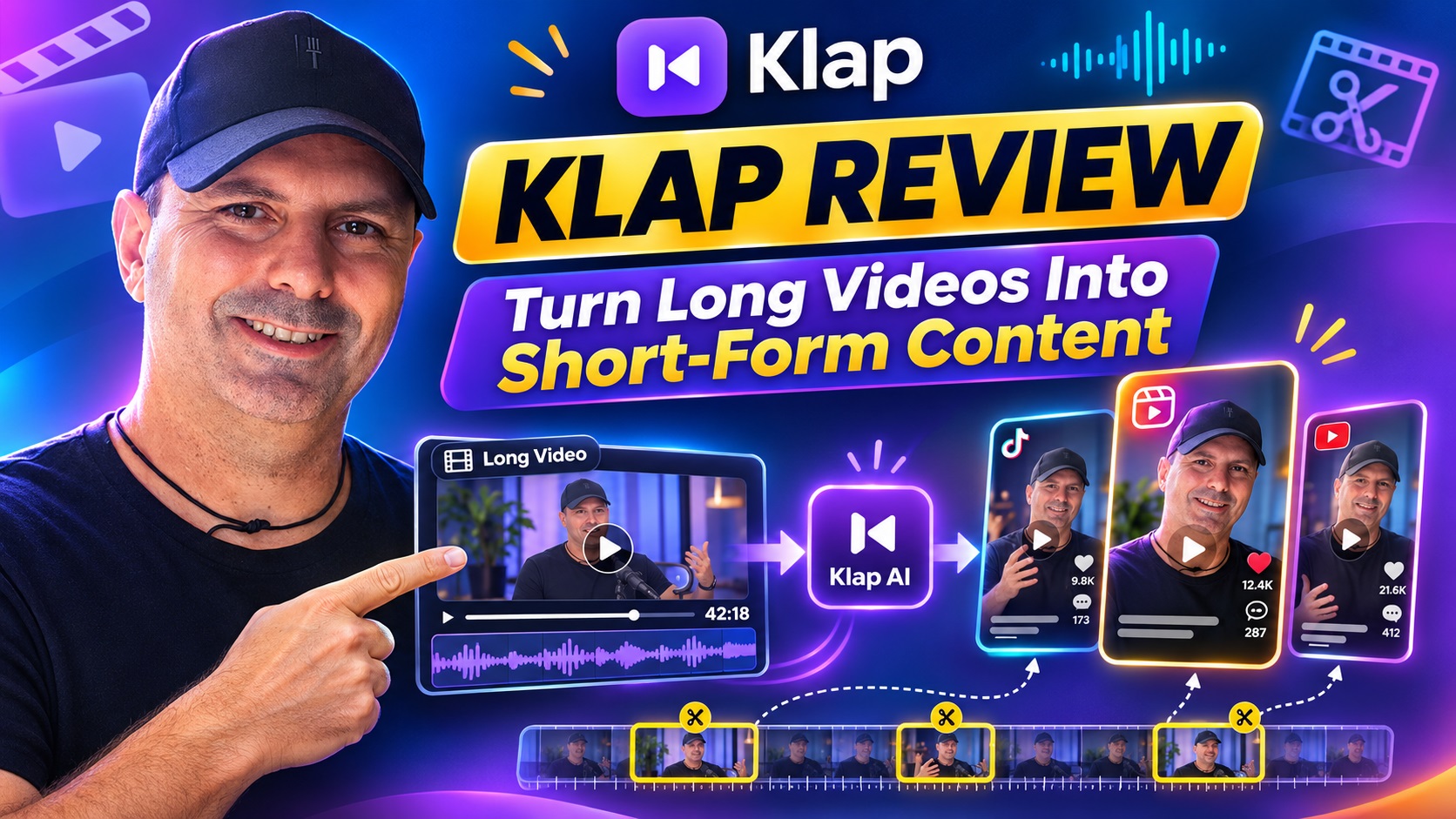
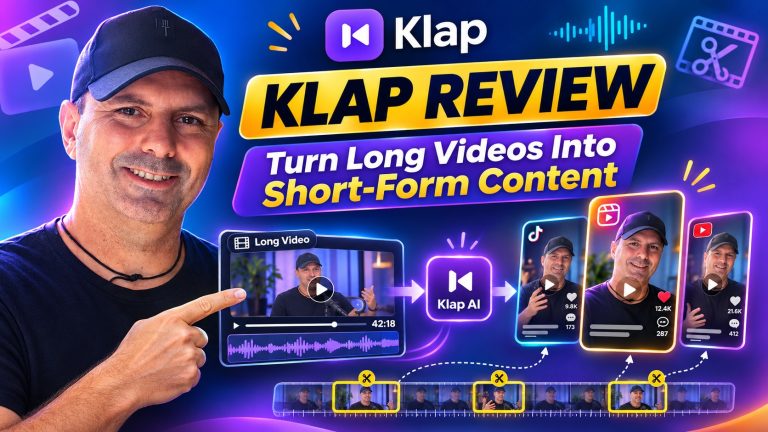
Klap is designed to reduce that queue. It uses AI to identify interesting topics inside long-form videos and convert them into vertical clips for TikTok, Instagram Reels and YouTube Shorts. It also supports publishing to LinkedIn and Facebook, making it useful beyond the usual short-form entertainment channels.
The appeal is not simply that Klap can crop a horizontal video into a vertical one. Its workflow combines topic selection, automatic reframing, captions, virality scoring, visual customization and scheduling. In theory, that gives a creator a way to move from one substantial recording to a whole batch of publishable content without opening a traditional editor for every clip.
That makes Klap especially interesting for podcasters, coaches, educators, agencies, marketers, online business owners and anyone already producing webinars, interviews, tutorials or commentary. If your business has useful spoken content but not enough time to turn it into daily social posts, Klap addresses a very practical bottleneck.
The Everyday Workflow
1. Upload a video or paste a YouTube link
The starting point is straightforward: upload a video file or paste a link to a YouTube video. Klap is built around spoken content, so it is a natural fit for podcasts, interviews, webinars, trainings, product reviews, tutorials, gaming commentary and sports commentary.
The service suggests that a one-minute source video can produce approximately five clips, although the useful output will depend on how much substance and variety the original recording contains. A focused three-minute explanation may produce several strong excerpts, while a long conversation with slow introductions or repetitive sections may need more manual selection afterward.
2. Let the AI identify potential highlights
Klap analyzes the source and extracts what it considers the most interesting topics. This is an important distinction from a basic automatic trimmer. Instead of asking the user to mark every in and out point, Klap attempts to find complete ideas or conversation segments that can stand on their own.
That could be a concise answer from a podcast guest, a useful lesson from a training session or a strong opinion from an interview. The process is much more practical than starting with a blank timeline, particularly when the goal is to create a regular stream of social content rather than one highly polished flagship video.
3. Review, customize and export
Once the clips are generated, users can make final adjustments before exporting. Klap automatically formats content for vertical viewing and uses active-speaker reframing to keep attention on the relevant person. It also creates animated captions and allows customization of elements such as fonts, colors, logos and framing.
This review stage still matters. AI can save time, but it does not know every detail of a brand’s tone, audience or campaign objective. A quick human check can catch a weak opening, an awkward cut, a caption that needs correction or a moment that makes sense in the original video but not as a standalone post.
Paid exports are available without Klap branding. Users can then download the videos or share and schedule them across supported social channels. That creates a useful repeatable loop: record once, generate multiple clips, refine the strongest ones and distribute them over time.
Features That Matter in Practice
AI clipping and topic extraction
The central feature is the automatic creation of multiple short clips from long-form material. This is valuable because the hardest part of repurposing is often not the final export. It is deciding which moments are worth turning into separate pieces of content.
For example, a consultant could upload a webinar about improving a sales process. Klap might identify a section explaining a common mistake, another describing a practical tactic and a third answering a frequently asked question. Those clips could become separate posts rather than allowing the entire webinar to disappear after its original broadcast.
The same approach works for a podcast. Rather than publishing one long episode and hoping people discover it, a creator can use short excerpts to introduce individual ideas and direct attention toward the longer discussion.
Virality scores
Klap assigns clips a virality score intended to help users judge their potential. This can be a helpful prioritization tool when the AI produces more clips than a team has time to publish. A content manager could review the higher-scoring options first, then compare them against practical considerations such as relevance, brand fit and timing.
I would treat the score as guidance rather than a prediction. No automated rating can guarantee reach, engagement or conversions. Audience familiarity, the opening sentence, platform trends, posting consistency and the value of the underlying idea all influence performance. The score is most useful as a way to organize attention, not as a promise of results.
Active-speaker reframing
Automatic reframing is one of the most important quality-of-life features in a vertical video tool. A landscape podcast or interview often leaves too much empty space when converted to a phone-friendly format. Klap’s active-speaker reframing is intended to keep the important subject in view as the conversation changes.
This is particularly useful for interviews, panel discussions and videos where the speaker moves within the frame. It also helps avoid the static, poorly cropped appearance that can make a repurposed clip feel like an afterthought.
The newer AI Reframe 2 feature is described as analyzing scenes and applying layouts such as split screen, screencasts and gaming formats. That broadens the use case beyond a single talking head. A tutorial, software demonstration or gameplay recording may benefit from a layout that keeps both the speaker and the relevant screen content visible.
Captions and recommended captions
Captions are essential for social video because many people watch without sound, at least initially. Klap creates responsive subtitles and offers designed caption styles that can be customized to suit a brand.
Captions also make a clip easier to understand when the audio is fast, technical or recorded in a noisy environment. For a marketer, the ability to apply consistent fonts, colors and logos can help a batch of clips look like part of the same campaign instead of unrelated exports.
Klap also provides recommended captions to accompany the videos. That can reduce the small but persistent friction of writing a post description for every clip. I would still edit suggested text to match the intended audience and call to action, but having a starting point is useful when preparing a large content calendar.
Language support
Klap supports editing and transcription in more than 99 languages, including widely used languages such as English, Spanish, French, German, Portuguese, Italian, Dutch, Arabic, Hindi, Japanese, Korean and Chinese, along with many others.
This makes the tool more relevant for international creators and teams managing multilingual campaigns. It may also help a business test content in different markets without creating a separate editing workflow for every language. As always with automated transcription, important names, specialist terminology and accents deserve a careful review before publishing.
Using Klap for Content Campaigns
Klap becomes more compelling when treated as part of a content system rather than as a one-off video generator. A creator could record one weekly educational session, interview or product demonstration and turn it into a library of shorter posts. Those clips could be scheduled over several days or weeks instead of being published all at once.
For an affiliate marketer, a long comparison video could produce separate clips covering key differences, buying considerations and answers to common questions. An online course creator could turn a lesson into short explanations that teach one concept at a time. A software company could repurpose a product webinar into clips for LinkedIn, Instagram and YouTube Shorts, with each post focused on a different use case.
The scheduling feature supports this kind of planning. Klap can publish or schedule content for TikTok, YouTube, Instagram, LinkedIn and Facebook. That matters because the alternative is often downloading a collection of files, renaming them, tracking them in a spreadsheet and manually uploading each one later.
There is also a useful creative possibility here: generate more variations than you immediately need. A team might create several clips around the same broad subject, then choose different openings, topics or posting dates. The result is a more flexible content bank that can respond to campaigns, seasonal themes or audience questions.
For larger operations, Klap also offers a self-serve API and an MCP server. Those options may be relevant to teams building repeatable internal workflows or connecting video creation with other systems. They are not necessary for a solo creator, but their presence suggests that Klap is not limited to manual, one-video-at-a-time use.
Pros and Cons
Pros
- Turns long-form content into multiple short clips: This can reduce the most repetitive parts of the repurposing process.
- Useful automatic reframing: Active-speaker tracking is well suited to interviews, podcasts and other conversational content.
- Captions and visual customization: Fonts, colors, logos and framing help clips feel more consistent with a brand.
- Virality scoring: Scores offer a practical way to prioritize clips for review and publishing.
- Multi-platform scheduling: Publishing support covers major video and social channels, including LinkedIn and Facebook.
- Broad language support: More than 99 supported languages make the tool useful for multilingual content operations.
- Free trial on one video: Users can create an account and preview and edit clips without entering a credit card.
Cons
- AI selection still needs human judgment: A technically complete clip may not have the strongest hook or the right context for your audience.
- Paid access is required for downloads: The free trial allows previewing and editing, but downloading and posting clips requires a paid plan.
- Virality scores are not performance guarantees: They should support editorial decisions rather than replace them.
- Best suited to speech-led content: People creating highly visual, music-driven or nonverbal videos may get less value from the core workflow.
- Pricing is based on clips: Teams should estimate how many outputs they actually need, especially when processing content at scale.
Pricing and Value
Klap’s plans count clips rather than source-video minutes. That is an approachable structure for creators who care about the number of publishable outputs they can produce each month, although it is worth estimating your expected volume before choosing a plan.
The Basic plan includes 100 clips per month and costs $29 month to month, or $174 when billed yearly, equivalent to $14.50 per month. The Pro plan includes 300 clips per month and costs $79 monthly, or $474 yearly, equivalent to $39.50 per month. Pro+ includes 1,000 clips per month and costs $189 monthly, or $1,134 yearly, equivalent to $94.50 per month.
The annual options substantially reduce the effective monthly price, but the best choice depends on how consistently you will use the service. A solo creator testing a new content routine may prefer monthly billing at first. An agency, publisher or established brand with a dependable stream of source videos may find the annual structure more attractive.
The free option is useful for evaluating the basic workflow because it allows one video to be turned into clips for preview and editing without a credit card. Since paid access is required to download and post, the trial is best viewed as a way to judge the generated selections, framing and captions before committing.
Who Should Use Klap?
Klap is a strong fit for creators who already produce long-form spoken content and want more mileage from it. Podcasts, interviews, webinars, educational recordings, product reviews and tutorials are particularly natural applications.
It also makes sense for marketing teams that need a regular supply of short-form posts but do not want an editor manually cutting every variation. Agencies could use it to create a repeatable first-pass workflow for multiple clients, while business owners could turn recorded expertise into content for several platforms.
It may be less suitable for someone who creates short videos from scratch and does not have a library of longer recordings. It may also be unnecessary for a professional editor who wants complete control over every frame, transition and sound design choice. Klap’s value is greatest when speed, volume and repurposing are more important than meticulous timeline-level editing.
Frequently Asked Questions
Can I try Klap for free?
Yes. You can create a free account and use Klap on one video without a credit card. The resulting clips can be previewed and edited, while downloading and posting require a paid plan.
What types of videos work best with Klap?
Klap is intended for content with speech, including podcasts, interviews, webinars, gaming and sports commentary, tutorials, product reviews and training videos. The more clearly the source contains useful, self-contained ideas, the more helpful automatic clipping is likely to be.
Does Klap add its own branding?
Paid exports carry no Klap branding. This is important for businesses and creators who want the final clips to present their own brand consistently.
Which platforms can I publish to?
Klap supports sharing and scheduling for TikTok, YouTube, Instagram, LinkedIn and Facebook.
Does Klap support languages other than English?
Yes. Klap supports editing and transcription in more than 99 languages. Users should still review captions carefully when videos contain names, technical terms or unusual pronunciation.
Can I customize the generated clips?
Yes. Customization includes fonts, colors, logos and framing. The generated clips are intended as a starting point that can be adjusted before export or scheduling.
Are virality scores a guarantee of results?
No. A virality score is an indication of potential, not a promise of views, engagement or sales. It is best used to help prioritize clips while retaining human judgment about relevance, quality and timing.
Final Verdict
Klap solves a real and recurring content problem: valuable long-form material often contains dozens of short-form ideas, but extracting them manually takes time that creators and marketing teams do not have. Its combination of AI clipping, active-speaker reframing, captions, visual customization, scoring and multi-platform scheduling creates a practical workflow from source video to content calendar.
The most important expectation to set is that Klap is an efficiency tool, not a replacement for editorial judgment. The best results will come from reviewing the generated clips, improving the opening where needed and choosing posts that genuinely fit the audience. With that small human layer, the service can make consistent short-form publishing far more manageable.
If you already record podcasts, interviews, lessons, webinars or other speech-led videos, Klap is worth exploring. The free single-video trial gives you a low-risk way to see whether its selections, framing and captions match your workflow. For creators and businesses that want to publish more without turning every recording into a full editing project, it offers a particularly appealing way to build a repeatable content engine.