Freespirits Security Audit Module for CWP7 Panel
Professional read-only server security auditing for CWP7 Panel — one simple module, one clear checklist, one server license.
One-time price: €19.99
License: Lifetime, single CWP7 server / public IP
No recurring subscription. No automatic remediation. No destructive actions.
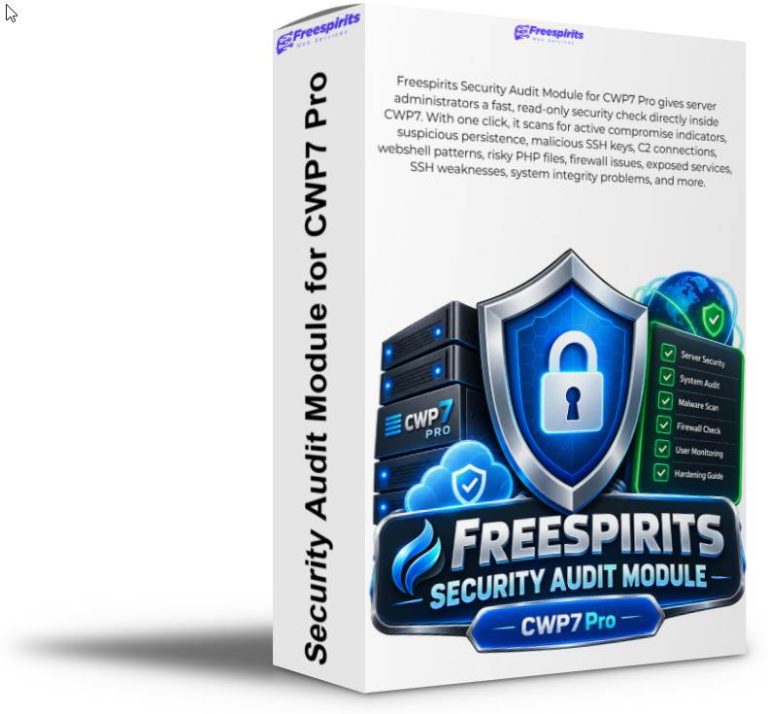
Freespirits Security Audit Module is a dedicated security-auditing extension created specifically for administrators running CWP7 Pro servers who want a fast, understandable way to check whether their server shows signs of compromise, persistence, suspicious activity, dangerous configuration, or security weaknesses.
Instead of forcing administrators to remember dozens of Linux commands, inspect logs manually, search multiple directories, review processes individually, or interpret raw security data, Freespirits Security Audit brings the most important checks together inside the familiar CWP7 administration interface.
With one click on Run Full Security Audit, the module performs an extensive, read-only examination of the server and presents the results as a clear security checklist using easy-to-understand statuses:
PASS, INFO, REVIEW, and FAIL.
Most importantly, Freespirits Security Audit is designed to distinguish between something that actually looks like an active compromise and something that is simply a hardening recommendation.
That distinction matters.
A server may have password authentication enabled for SSH, SELinux disabled, or a service listening on an interface without necessarily being compromised. At the same time, an active malicious connection, suspicious persistence mechanism, injected webshell, unauthorized SSH key, or recent exploit event deserves much more serious attention.
Freespirits Security Audit separates these situations so administrators receive a useful assessment instead of an unnecessarily alarming red warning for every configuration difference.
A security audit designed specifically for real CWP7 servers
Generic Linux vulnerability scanners often produce hundreds of warnings that are technically correct but difficult to apply to a CWP installation.
CWP7 has its own architecture, services, internal PHP-FPM pools, API listeners, firewall configuration, hosting directories, WordPress installations, scheduled jobs, and server-management components. A generic scanner may therefore flag completely normal CWP behavior as malicious.
Freespirits Security Audit was developed and tested around actual CWP7 server environments and takes these characteristics into consideration.
For example, the module knows that some CWP internal PHP-FPM pools may operate as root and therefore reports them as informational rather than automatically declaring a compromise. It understands the relationship between CSF and LFD. It checks whether sensitive services are actually exposed through the firewall rather than simply assuming that a listening socket is publicly accessible.
It also understands that historical attack evidence should remain visible without permanently condemning the server.
If an older CWP exploit attempt appears in preserved logs but falls outside the configured recent-activity window, the module reports it as historical forensic evidence rather than incorrectly claiming that the server is under active attack today.
That provides administrators with a much more realistic picture of server security.
Read-only by design
One of the most important principles behind Freespirits Security Audit is that an audit tool should not silently change the server it is examining.
The module therefore performs no automatic remediation.
It does not delete suspicious files, remove SSH keys, terminate processes, disable services, modify firewall rules, restart Apache or Nginx, change CWP configuration, alter SSH settings, edit WordPress files, remove cron jobs, change systemd services, or truncate forensic logs.
The purpose of the module is to tell you what it found, why it matters, and what you should consider doing next.
This approach is particularly valuable on production hosting servers. Automatic security tools that remove or modify files based only on a signature can sometimes damage legitimate applications, custom scripts, plugins, caching systems, or customer websites.
Freespirits Security Audit leaves the administrator in control.
For each relevant result, the module provides a short explanation, a suggested action, and expandable evidence so you can investigate before making any change.
Clear security status at a glance
After a scan completes, the module displays separate indicators for overall server condition, active-compromise detection, and security hardening.
A server can therefore show:
Compromise Status: GREEN — No Active IOC Detected
while still showing:
Hardening Status: AMBER — Review Required
This means the scanner found no configured high-confidence evidence of an active compromise, but there are still security improvements worth reviewing.
This is far more useful than treating every recommendation as an emergency.
Freespirits Security Audit also maintains a scan history so administrators can see how the server’s security posture changes over time and which scanner version generated each result.
What Freespirits Security Audit checks
The module currently performs the following groups of checks:
| Security check | What the module examines |
|---|---|
| CWP version / security baseline | Confirms that the installed CWP version meets the configured minimum safe baseline. |
| CWP remediation script | Checks whether the CWP cleanup/remediation script exists and is executable. |
| Recent cleanup execution | Verifies when the vendor security cleanup last completed. |
| Automatic cleanup activity | Confirms that repeated cleanup executions are taking place. |
| Recent vs historical CWP exploit activity | Searches CWP API logs for known exploit indicators and separates recent events from historical forensic evidence. |
| CWP API port 2304 exposure | Checks whether the CWP API is listening and whether TCP/2304 is exposed through CSF. |
| Root PHP-FPM pools | Identifies root-running pools that deserve additional protection while recognizing legitimate CWP internal pools. |
| Known malicious SSH keys | Searches authorized-key locations for configured malicious key indicators. |
| GSocket persistence | Looks for GSocket-related files, processes and known persistence indicators. |
| Fake kernel-thread malware | Detects userspace processes attempting to masquerade as bracketed Linux kernel threads. |
| Suspicious cron persistence | Searches scheduled jobs for high-confidence persistence patterns. |
| Suspicious systemd persistence | Examines service definitions and ExecStart commands for suspicious persistence behavior. |
ld.so.preload persistence | Detects potentially dangerous library-preloading persistence mechanisms. |
| Known attacker C2 connections | Checks active network connections against configured incident IOC addresses. |
| Listening service inventory | Captures current listening sockets for administrator review. |
| Recent unknown executables | Identifies recent executable files in system locations that are not owned by installed RPM packages, while supporting trusted administrator tools. |
| Deleted executables still running | Detects processes continuing to use executables that have been deleted or replaced, which may indicate pending restarts or require investigation. |
| SELinux state | Reports the current SELinux state as part of the server’s overall hardening posture. |
| Unexpected UID 0 accounts | Checks whether any account other than root has UID 0 privileges. |
| Root SSH key permissions | Confirms that root’s authorized-key files use restrictive permissions. |
| SSH root/password hardening | Reviews SSH password authentication and root login configuration. |
| Recent root-owned web files | Searches hosted webroots for recent files unexpectedly owned by root. |
| Malicious web IOC filenames | Looks for configured high-confidence malicious filenames in hosted sites. |
| Webshell content signatures | Performs optimized batched scans for high-confidence malicious PHP/webshell patterns. |
| PHP inside uploads/cache | Reviews PHP files located in commonly writable or cache-related web directories while reducing false positives from legitimate WordPress files. |
| PHP auto-prepend / auto-append injection | Checks common configuration locations for suspicious auto_prepend_file or auto_append_file injection. |
| CSF / LFD security state | Confirms that CSF is installed in production mode and that LFD is running. |
| CSF RESTRICT_SYSLOG | Reviews this CSF hardening option and flags it when administrator attention may be appropriate. |
| MariaDB/MySQL exposure | Determines whether the database listens externally and whether port 3306 is actually exposed by CSF. |
| rpcbind exposure | Detects rpcbind listening status and checks whether port 111 is externally allowed. |
| Root filesystem capacity | Checks disk utilization because critically full filesystems can cause outages and security-related failures. |
| Mail queue | Reviews the Postfix queue for abnormal accumulation that may indicate mail-system or abuse issues. |
| Overall active-compromise assessment | Combines only relevant high-confidence indicators to determine whether the module currently sees evidence of active compromise. |
Historical evidence is preserved
A very important design feature is that Freespirits Security Audit does not attempt to hide previous incidents.
If older exploit activity exists in logs, the module retains and displays that information.
For example, you may see:
INFO — Historical exploit evidence preserved; no configured IOC exists inside the recent seven-day window.
This tells you that something happened in the past while also making it clear that the old log entry is not proof of a current compromise.
The module intentionally does not delete or truncate these logs.
Forensic evidence can be extremely valuable if you later need to investigate a security incident.
Reduced false positives for WordPress hosting
WordPress installations frequently contain PHP files in places that simplistic security scripts may immediately classify as suspicious.
Plugins can include cache libraries. Caching systems may legitimately generate PHP. Some upload-related plugin directories contain protective index.php files. Composer dependencies and vendor directories can contain thousands of PHP files.
Freespirits Security Audit therefore performs more contextual checks rather than merely treating every PHP file under a directory named cache as malicious.
Large dependency and cache trees are handled intelligently, and writable-directory PHP is checked separately for suspicious signatures.
This makes the report more manageable and significantly more useful on busy hosting servers.
Background scanning with live progress
A full security examination can involve large webroots and many hosted accounts.
For this reason, Freespirits Security Audit performs scans in the background rather than forcing the CWP browser session to wait until every file has been checked.
The interface can display the current scan phase and progress while the server continues working normally.
Typical phases include CWP security, persistence analysis, system integrity, web inventory, web-content scanning, writable-PHP analysis, firewall/service checks, and final assessment.
Expensive web scan phases also use configurable time limits so a very large or unusual website cannot leave an audit running indefinitely.
Evidence and suggestions for administrators
A security status alone is often not enough.
For that reason, relevant checks include expandable View Evidence sections.
If the module discovers an unfamiliar executable, suspicious configuration, historical exploit entry, listening service, or unexpected process, the administrator can inspect the evidence directly from the CWP interface.
Each check also includes a practical suggestion.
For example, an SSH hardening result may recommend moving toward key-only authentication while explicitly warning the administrator to test a second SSH session before disabling passwords.
A deleted executable result may explain that the condition often occurs after software updates and recommend a controlled service restart or reboot rather than immediately describing the server as infected.
This is the philosophy behind the entire module: useful security information without unnecessary panic.
Licensed per CWP7 server
Freespirits Security Audit Module is sold as a single-server lifetime license.
The one-time price is €19.99 per server.
Each license is activated against one server’s public IP address. The activation system is connected to the Freespirits WooCommerce licensing platform and uses signed license tokens for validation.
There is no recurring subscription fee.
If you later migrate your CWP7 installation to a different VPS or receive a new public IP, the license activation can be reset and moved according to the applicable license-management policy.
The licensing system is designed to tolerate temporary connectivity problems, so a brief outage of the remote licensing service does not immediately prevent an already activated server from performing its security audits.
Who is it for?
Freespirits Security Audit Module is particularly suitable for hosting providers, freelance server administrators, web agencies, CWP7 administrators, WordPress hosting operators, developers managing their own VPS infrastructure, and businesses that want an additional security-verification layer without installing a complex enterprise SIEM platform.
It is also useful after an incident, after applying security patches, following a server migration, before onboarding important clients, after unusual resource usage, or simply as part of a regular server-maintenance routine.
Security auditing without surrendering control
No security scanner can mathematically prove that a machine has never been compromised.
A sufficiently sophisticated attacker with root access may attempt to hide activity from conventional tools.
Freespirits Security Audit therefore does not make unrealistic guarantees.
Instead, it performs a broad collection of carefully selected checks intended to identify known and high-confidence indicators of compromise, persistence, web intrusion, unsafe exposure, and system-hardening weaknesses.
A green result means that the configured high-confidence checks did not detect an active compromise indicator at the time of the scan.
That is an important piece of security evidence, but it should always be combined with responsible administration, backups, updates, firewall restrictions, strong credentials, and good monitoring practices.
One module. One click. A clearer picture of your CWP7 server.
Managing a hosting server already involves enough moving parts.
Freespirits Security Audit Module turns a complicated manual security-review process into a structured checklist directly inside CWP7 Pro.
Run the audit, review the evidence, understand which findings are historical, identify which items genuinely require attention, and make your own informed decisions.
Freespirits Security Audit Module for CWP7 Pro — €19.99 one-time payment, lifetime single-server license.
Know what is running. Know what needs attention. Know when the evidence actually points to compromise.