max-width: 1100px;
margin: 0 auto;
font-family: Arial, Helvetica, sans-serif;
color: #1f2937;
line-height: 1.75;
font-size: 17px;
}
.cwp7-product-description * {
box-sizing: border-box;
}
.cwp7-hero {
background: linear-gradient(135deg, #0b4f79 0%, #0877b5 55%, #0c98c9 100%);
color: #fff;
padding: 55px 45px;
border-radius: 18px;
margin-bottom: 32px;
box-shadow: 0 15px 40px rgba(0,0,0,.16);
}
.cwp7-hero h1 {
margin: 0 0 16px 0;
font-size: 42px;
line-height: 1.15;
color: #fff;
}
.cwp7-hero p {
margin: 0;
font-size: 20px;
opacity: .96;
}
.cwp7-badges {
margin-top: 24px;
}
.cwp7-badge {
display: inline-block;
margin: 5px 7px 5px 0;
padding: 8px 13px;
border-radius: 30px;
background: rgba(255,255,255,.15);
border: 1px solid rgba(255,255,255,.25);
color: #fff;
font-size: 14px;
font-weight: 700;
}
.cwp7-section {
background: #ffffff;
border: 1px solid #dce6ed;
border-radius: 16px;
padding: 32px;
margin: 26px 0;
box-shadow: 0 8px 25px rgba(27,55,75,.06);
}
.cwp7-section h2 {
margin: 0 0 16px 0;
color: #0b4f79;
font-size: 29px;
line-height: 1.25;
}
.cwp7-section h3 {
margin: 27px 0 10px 0;
color: #183b56;
font-size: 21px;
}
.cwp7-section p:last-child {
margin-bottom: 0;
}
.cwp7-highlight {
background: #eef8ff;
border-left: 5px solid #1687c5;
padding: 22px 25px;
border-radius: 10px;
margin: 22px 0;
}
.cwp7-success {
background: #edf9f1;
border-left: 5px solid #22a35a;
padding: 22px 25px;
border-radius: 10px;
margin: 22px 0;
}
.cwp7-warning {
background: #fff7e8;
border-left: 5px solid #df9700;
padding: 22px 25px;
border-radius: 10px;
margin: 22px 0;
}
.cwp7-grid {
display: grid;
grid-template-columns: repeat(auto-fit, minmax(260px, 1fr));
gap: 18px;
margin: 25px 0;
}
.cwp7-card {
background: #f8fbfd;
border: 1px solid #dce6ed;
border-radius: 14px;
padding: 23px;
}
.cwp7-card h3 {
margin: 0 0 10px 0;
font-size: 19px;
color: #0b4f79;
}
.cwp7-card p {
margin: 0;
font-size: 15px;
}
.cwp7-list {
padding-left: 0;
margin: 20px 0;
list-style: none;
}
.cwp7-list li {
position: relative;
padding: 7px 0 7px 32px;
}
.cwp7-list li:before {
content: “✓”;
position: absolute;
left: 0;
top: 7px;
width: 22px;
height: 22px;
line-height: 22px;
text-align: center;
border-radius: 50%;
background: #e4f5eb;
color: #159447;
font-weight: 700;
font-size: 13px;
}
.cwp7-code {
background: #17212b;
color: #e7f5ff;
padding: 18px 21px;
border-radius: 11px;
overflow-x: auto;
font-family: Consolas, Monaco, monospace;
font-size: 14px;
margin: 18px 0;
}
.cwp7-pill {
display: inline-block;
padding: 6px 11px;
border-radius: 18px;
background: #eaf5fb;
color: #0b668f;
font-size: 13px;
font-weight: 700;
margin: 3px;
}
.cwp7-number {
width: 39px;
height: 39px;
display: inline-flex;
align-items: center;
justify-content: center;
background: #0b78b1;
color: #fff;
border-radius: 50%;
font-weight: 700;
margin-right: 10px;
}
.cwp7-cta {
background: linear-gradient(135deg, #102f45, #0a6d9c);
color: #fff;
border-radius: 18px;
padding: 42px;
margin-top: 32px;
text-align: center;
}
.cwp7-cta h2 {
color: #fff;
font-size: 31px;
margin-top: 0;
}
.cwp7-cta p {
font-size: 18px;
}
.cwp7-small {
font-size: 14px;
color: #607286;
}
@media (max-width: 700px) {
.cwp7-hero {
padding: 35px 25px;
}
.cwp7-hero h1 {
font-size: 32px;
}
.cwp7-section {
padding: 24px 20px;
}
}
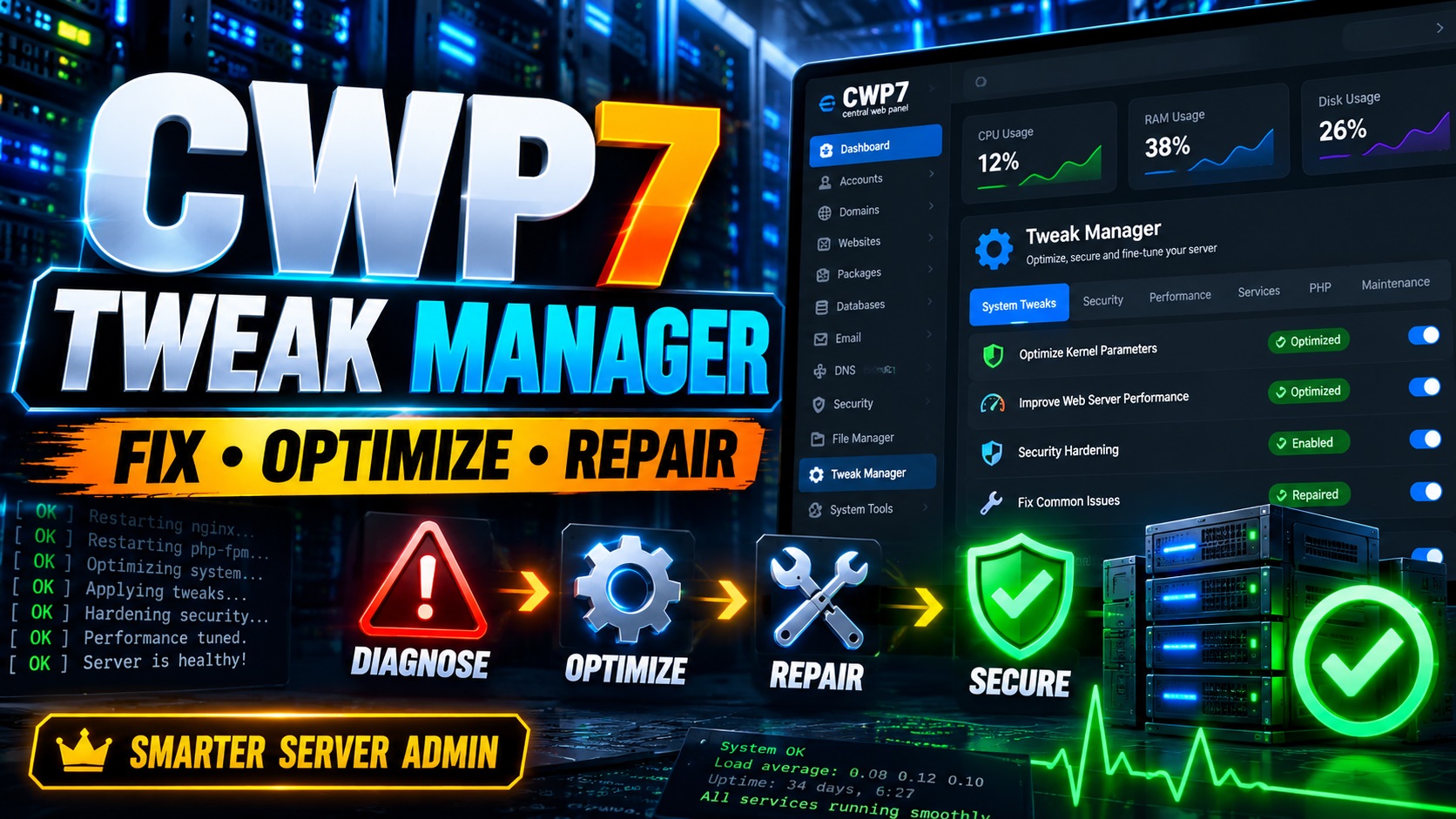
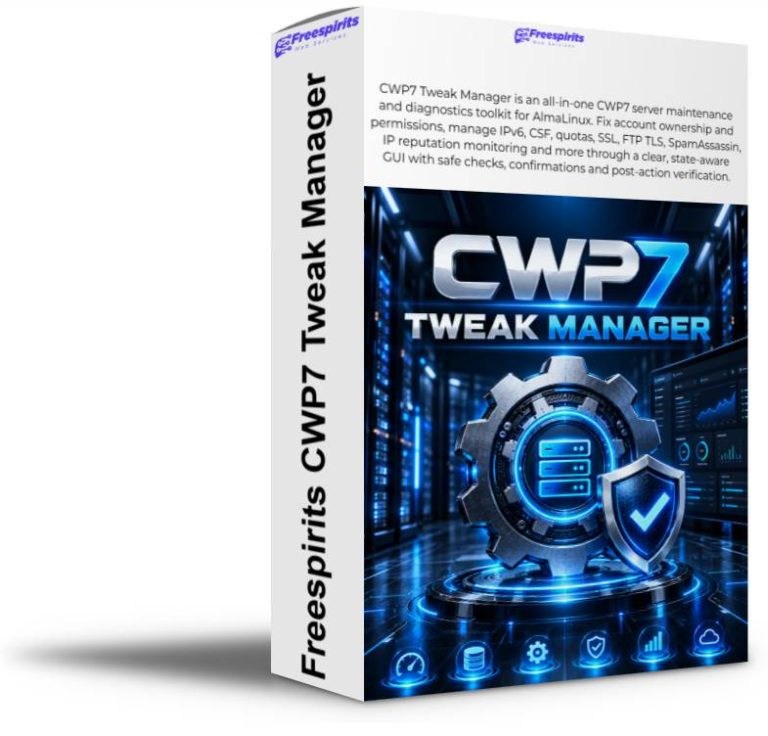
⚙ CWP7 Tweak Manager
A powerful all-in-one maintenance, diagnostics, security, mail,
networking and server repair toolkit created specifically for
CWP7 / Control Web Panel administrators.
Take Control of Your CWP7 Server Without Constantly Returning to SSH
If you manage CWP7 servers, you already know that many of the most
important troubleshooting, maintenance and optimization tasks still
require SSH access.
A website suddenly returns a 403 error. Files have been extracted as
root:root. SpamAssassin appears to be running but spam
continues reaching your mailbox. CSF is pointing to unexpected iptables
paths. IPv6 needs to be disabled. XFS quotas need to be configured.
A CWP hostname certificate is correct on disk but the panel is still
serving an older certificate.
The normal solution is to search through your notes, connect through SSH,
locate the correct configuration file, make a backup, run several commands,
restart a service and then hope everything worked correctly.
It brings frequently used CWP7 administration procedures into one
organized graphical interface with diagnostics, explanations,
confirmation steps and post-operation verification.
This is not a collection of blind one-click optimization scripts.
CWP7 Tweak Manager is designed around a much safer philosophy:
A Central Maintenance Console for CWP7
CWP7 Tweak Manager organizes server administration into clear sections,
so you can quickly find the type of operation you need.
📁 Files
Account ownership repair, permissions normalization and document-root diagnostics.
🛡 Security
CWP SSL diagnostics, CSF tooling, iptables validation and RPC checks.
🌐 Network
IPv6 management, FTP TLS diagnostics and networking-related tweaks.
💾 Storage
XFS quota configuration and CWP account quota synchronization.
⚡ Web & PHP
Apache diagnostics, configuration repair and PHP OPcache inspection.
SpamAssassin health tests, mail pipeline detection, tuning and diagnostics.
📡 IP Reputation
Blacklist and reputation monitoring with automatic warning emails.
🗄 Database
Database and Roundcube readiness checks without dangerous blind database operations.
🔑 License
Integrated Freespirits server licensing, activation, validation and deactivation.
Intelligent Account Ownership & Permission Repair
One of the most common CWP7 problems happens when website files are copied,
extracted or uploaded as root.
Instead of belonging to the CWP account, website files may become:
This can result in 403 errors, PHP problems, WordPress update failures,
Joomla extension issues, cache errors, FTP problems and users being unable
to modify their own website files.
CWP7 Tweak Manager can safely inspect a selected account and normalize
the ownership and permissions of its website content.
- Corrects root-owned website files under the selected account.
- Corrects the account’s primary ownership and group where appropriate.
- Sets normal directories to 0755.
- Sets normal website files to 0644.
- Protects symbolic links and hard-linked files.
- Skips files belonging to another hosting account.
- Avoids crossing into unrelated mounted filesystems.
- Preserves special treatment for sensitive files and executables.
- Performs a second verification scan after the repair.
It performs a post-check and reports whether any eligible ownership
or permission problems remain.
Smart CWP Hostname SSL Diagnostics
CWP hostname SSL problems can be frustrating because a valid certificate
may already exist while cwpsrv continues referencing an older certificate.
CWP7 Tweak Manager can inspect:
- The server hostname.
- The active hostname.bundle certificate.
- Legacy hostname.crt references.
- The hostname private key.
- Certificate and key matching.
- Certificate validity dates.
- cwpsrv configuration syntax.
- Certificates actually served on CWP ports.
- Unexpected certificate references in active configuration files.
If everything is already correct, the module says so and removes the
unnecessary repair action.
If a genuine stale certificate reference is detected, the repair workflow
can back up the relevant configuration, make the minimal change, validate
cwpsrv, reload the service and retest the served certificate.
Smarter CSF & iptables Validation
Firewall maintenance is an area where blindly applying commands can be
dangerous. CWP7 Tweak Manager therefore separates package installation,
configuration repair and firewall reload into independent guarded steps.
The module understands that on AlmaLinux:
It also resolves the actual executable behind iptables wrappers.
Therefore valid configurations such as:
are understood as valid aliases rather than incorrectly reported as
broken paths.
- Checks whether iptables packages are installed.
- Validates all six CSF iptables / ip6tables paths.
- Resolves aliases and symbolic paths intelligently.
- Checks ownership and executable safety.
- Repairs only paths that genuinely need repair.
- Keeps CSF reload as a separate guarded action.
IPv6 Management Through the GUI
CWP7 Tweak Manager can inspect both the running IPv6 state and the
configuration intended for the next boot.
It checks:
- Whether IPv6 is enabled in the running kernel.
- Whether IPv6 is disabled in installed boot entries.
- Detected IPv6 addresses.
- IPv4 availability before staging network changes.
The controls are state-aware. If IPv6 is already disabled, you are not
shown another meaningless Disable button. The available action becomes
Enable IPv6.
FTP over TLS Diagnostics
The module includes tools for diagnosing Pure-FTPd and Explicit FTPS.
- Detect Pure-FTPd TLS configuration.
- Check whether the TLS certificate exists.
- Test standard FTP port 21.
- Test custom ports such as 6477.
- Check availability of the CWP Pure-FTPd TLS installer.
- Run the CWP-provided TLS installation workflow when appropriate.
The module clearly distinguishes between enabling FTP TLS and configuring
a custom FTP listener or firewall rule.
XFS Disk Quota Management
Disk quotas on AlmaLinux/CWP require coordination between filesystem
mount options, boot parameters, XFS accounting and CWP account settings.
CWP7 Tweak Manager divides the procedure into three clear stages.
1 Enable XFS Quotas
The module checks the filesystem and mount layout, prepares the required
quota flags and safely stages the required boot parameters.
2 Configure CWP
After reboot, the module verifies that XFS accounting and enforcement
really are active before configuring CWP’s quota type and partition.
3 Synchronize Existing Accounts
Existing CWP package and account disk limits can then be reapplied.
Advanced SpamAssassin Health & Protection
One of the most important recent additions to CWP7 Tweak Manager is the
advanced SpamAssassin diagnostic and management system.
Simply seeing that spamassassin.service is running does
not prove that incoming mail is actually passing through SpamAssassin.
Different CWP installations may use different mail pipelines such as:
or:
CWP7 Tweak Manager attempts to detect the real mail filtering path before
suggesting a repair.
Pipeline Detection
Detect Direct spamd, Amavis, Mixed or an unknown filtering path.
SpamAssassin Lint
Validate the active SpamAssassin configuration before making changes.
GTUBE Test
Use the standard SpamAssassin test message to prove spam detection works.
Bayes & Razor Diagnostics
Detect permission, lock and home-directory problems commonly seen on AlmaLinux.
GUI Spam Sensitivity Control
Administrators can adjust SpamAssassin sensitivity directly through
the module without manually editing configuration files.
4.5 Stronger
4.0 Aggressive
3.5 Very Aggressive
Optional subject tagging can also be enabled:
Before applying a configuration change, CWP7 Tweak Manager backs up the
existing configuration, validates the new configuration and restores the
previous state if validation fails.
Analyze Suspicious Emails
When an obvious phishing or spam message reaches a mailbox, you can paste
its raw email source into CWP7 Tweak Manager.
The module can then tell you:
- Whether the original message already contained SpamAssassin headers.
- The score assigned by the server’s current SpamAssassin rules.
- The active required spam threshold.
- Whether the message would currently be classified as spam.
- Which rules contributed to the result when available.
completely and a message that was scanned but simply did not receive
a high enough score.
The pasted message is processed locally for analysis and is not intended
to be permanently stored by the module.
SpamAssassin Rule Updates
CWP7 Tweak Manager can run the official SpamAssassin rule updater:
If new rules are available, the module validates the resulting
configuration and reloads the correct mail-filter service.
If no update is available, unnecessary service restarts are avoided.
Weekly IP Reputation Monitoring
A correctly configured mail server can still suffer delivery problems
when its outbound IP develops a poor reputation.
CWP7 Tweak Manager integrates checks for:
- Proofpoint IP Check
- MultiRBL
- Trend Micro Email Reputation Services
The result is classified as:
LISTED / BLOCKED
UNKNOWN / INCONCLUSIVE
An UNKNOWN response is deliberately not treated as CLEAN.
The module can also create an automatic weekly reputation check.
You choose:
- The IP address to monitor.
- The weekday.
- The check time.
- The administrator email address.
send an email warning automatically.
If a provider cannot return a reliable machine-readable result, the
module can instead warn the administrator that manual verification is required.
Web, Apache & PHP Diagnostics
CWP7 Tweak Manager also includes practical diagnostics for common
webserver and PHP problems.
- Apache configuration checks.
- Detection of known malformed ModSecurity LoadFile entries.
- Guarded configuration repair.
- Apache syntax validation.
- PHP OPcache detection across installed CWP PHP-FPM versions.
- OPcache configuration inspection.
The emphasis is always on detecting the real server state instead of
blindly applying generic performance settings.
Database & Roundcube Diagnostics
The Database section provides useful read-only health information about
database and Roundcube components.
- Database service readiness.
- Backup utility availability.
- Available disk capacity.
- Roundcube configuration detection.
- Relevant database configuration paths.
Destructive operations such as blindly dropping databases are deliberately
excluded from simple one-click repair workflows.
Portable Server Preferences
CWP7 Tweak Manager supports exporting selected module preferences into
a portable JSON configuration.
This can help administrators maintain a consistent preferred configuration
across multiple CWP servers.
Integrated Commercial Licensing
CWP7 Tweak Manager includes integration with the Freespirits License Manager,
turning the module into a properly licensed commercial server product.
The License section supports:
- License activation.
- Immediate license validation.
- Cached license state.
- Grace-period handling.
- Server-bound activation.
- License deactivation.
- Reusable activation slots according to the license policy.
The full license key is stored securely in a root-only file.
The module uses secure permissions and does not need to expose the
license key publicly inside the CWP interface.
Deactivating a license releases the activation from the current VPS
without uninstalling the module, removing server tweaks or deleting the license itself.
Diagnostics Still Available When Troubleshooting
Licensing has been designed practically.
Read-only diagnostics can remain available so administrators are not left
blind when troubleshooting a server.
Actions that modify server configuration require a valid license or a
permitted licensed grace state.
A State-Aware Interface That Understands the Server
One of the most important differences between CWP7 Tweak Manager and a
traditional collection of shell scripts is that the interface is designed
to react to the actual state of the server.
For example:
- If IPv6 is already disabled, the module does not tell you to disable it again.
- If XFS quotas are already active, the Enable button disappears.
- If CSF paths are already valid, the Repair button disappears.
- If the CWP hostname SSL configuration is correct, no unnecessary SSL repair is offered.
- If iptables packages are installed, there is no reason to reinstall them.
- If account ownership and permissions are already correct, no chmod/chown operation is proposed.
you that everything is already correct instead of encouraging unnecessary changes.
Built for Real Hosting Administrators
CWP7 Tweak Manager is ideal for:
- Web hosting providers.
- Freelancers managing customer VPS servers.
- Web design and development agencies.
- System administrators.
- WordPress and Joomla hosting providers.
- Developers managing their own production infrastructure.
- Administrators maintaining multiple CWP7 servers.
The more servers you maintain, the more valuable standardized and
repeatable maintenance procedures become.
Instead of remembering which command solved a problem six months ago,
the module explains the procedure directly in the administration interface.
Simple Installation & Upgrade Process
CWP7 Tweak Manager uses the same straightforward package format as other
Freespirits CWP modules.
Upload the module ZIP into:
Then install it using:
cd /root
rm -rf /root/cwp7-tweak-manager-v0.9.0
unzip -o /root/cwp7-tweak-manager-v0.9.0.zip -d /root/
cd /root/cwp7-tweak-manager-v0.9.0
chmod +x install.sh
bash install.sh
The installer is designed to recognize compatible previous versions,
back up existing module files and protect installations that appear to
have unknown local modifications.
Installing the Module Does Not Automatically Change Your Server
Simply installing CWP7 Tweak Manager does not automatically:
- Change website ownership.
- Change file permissions.
- Disable IPv6.
- Reload CSF.
- Enable quotas.
- Modify SpamAssassin.
- Restart mail services.
- Enable weekly reputation monitoring.
- Reboot your VPS.
Server-changing actions remain under the administrator’s control.
The CWP7 Maintenance Toolkit We Always Wanted
SSH remains an essential part of professional server administration.
CWP7 Tweak Manager is not designed to replace SSH entirely.
Instead, it addresses the large number of recurring administration tasks
that do not need to be manually repeated every time.
Why search old forum posts, SSH history and personal notes whenever the
same issue returns?
Why blindly run a command before checking whether the server actually
needs the change?
Why continue displaying a Repair button after a problem has already been fixed?
CWP7 Tweak Manager combines your most frequently used CWP7 maintenance
workflows into one intelligent interface.
From website permissions and ownership to SSL, quotas, CSF, IPv6,
FTP TLS, SpamAssassin, PHP, databases and IP reputation monitoring,
the goal is to give administrators a single practical maintenance center.