
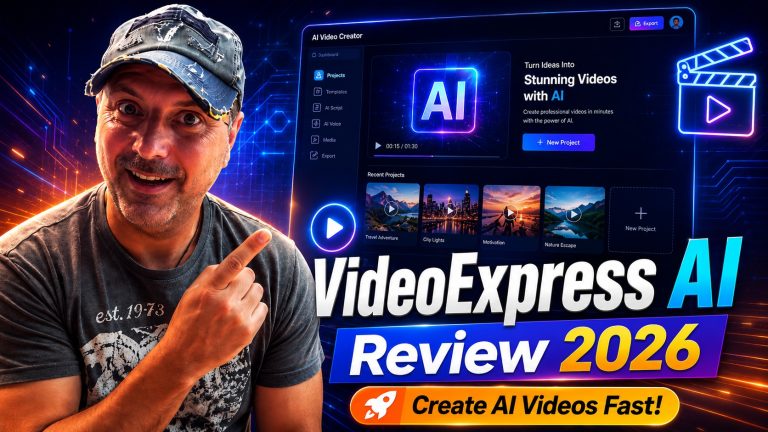
AI video tools have moved from novelty to serious creative infrastructure. A few years ago, “AI video” usually meant short, strange-looking clips with broken hands, flickering faces, and random motion. In 2026, the conversation is very different. Creators now want tools that can help them produce social videos, faceless YouTube content, explainer videos, product promos, storytelling clips, ads, and branded content faster than traditional editing workflows.
Definition: VideoExpress 3.0 is an AI video creation platform designed to turn text prompts and images into short video clips, then help users edit, resize, caption, extend, and repurpose those clips inside one workflow. It combines features such as text-to-video, image-to-video, lip-sync, captions, video editing, object removal, background tools, and commercial-use licensing into a single creator-focused package.
That makes the big question simple: is VideoExpress 3.0 actually ready for serious creators, or is it mainly another shiny AI tool with impressive demos and practical limits?
The answer depends on what kind of creator you are. VideoExpress 3.0 is not a full replacement for a professional video editor, a creative director, or a high-end production pipeline. But for solo creators, affiliate marketers, short-form video makers, faceless channel owners, educators, small business owners, and content agencies that need faster visual production, it has a strong value proposition.
This review looks at what VideoExpress 3.0 claims to offer, where it fits in the current AI video market, who should consider using it, and where users should stay realistic.
What Is VideoExpress 3.0?
VideoExpress 3.0 is presented as an all-in-one AI video platform that can generate videos from text prompts or images, then help users edit those clips into longer videos. Its official website describes it as a “Next-Generation AI Video Generator” with features including text-to-video, image-to-video, AI inpainting, talking photos, video editing, animations, text-to-speech, prompt writing, consistent characters, subtitles, captions, and commercial-use rights. The platform also promotes one-time pricing rather than monthly subscription fees.
That positioning matters because most AI video tools fall into one of three categories.
First, there are high-end AI video generators focused mostly on impressive visual output. These tools may be excellent at creating cinematic clips, but they often rely on credits, subscriptions, waitlists, or limited generations.
Second, there are editing tools that help you cut, resize, caption, and repurpose existing videos. These are practical, but they do not always generate new video content from scratch.
Third, there are creator suites that try to combine generation, editing, voice, captions, and export options in one place.
VideoExpress 3.0 clearly wants to sit in the third category. It is not just trying to generate a cool four-second clip. It is trying to help users build usable videos from idea to output.
That is the right direction for serious creators, because generation alone is not enough. A clip is not a finished asset. A creator still needs structure, pacing, sound, captions, formatting, branding, and a reason for the viewer to keep watching.
What’s New or Notable About VideoExpress 3.0?
The main appeal of VideoExpress 3.0 is its attempt to bundle many AI video features into one workflow. The product page highlights both text-to-video and image-to-video generation, multilingual dialogue and narration, multi-character consistency, first-frame and last-frame control, prompt-based camera movements, inpainting, outpainting, object removal, video length increasing, background editing, subtitles, captions, and multiple dimensions for platforms like YouTube, TikTok, Reels, and Stories.
That feature mix is important because AI video creation usually breaks down at the workflow level.
For example, a creator may generate a clip in one tool, create a voiceover in another, add captions in a third, remove backgrounds somewhere else, and then assemble everything in a traditional editor. That process can become slow, confusing, and expensive.
VideoExpress 3.0’s promise is that creators can reduce that tool-hopping. Instead of managing a messy stack of apps, they can create, edit, caption, resize, and polish videos in fewer steps.
The most interesting features for serious creators are:
AI text-to-video for turning written prompts into scenes.
AI image-to-video for animating still images.
Talking photo and lip-sync features for character-based content.
Multi-character consistency for storytelling and training videos.
First-frame and last-frame control for smoother transitions.
Camera movement prompts such as zooms and pans.
Timeline editing for building longer videos from multiple clips.
Subtitles and captions for social media engagement.
Commercial-use rights for client work or monetized content.
Object removal, inpainting, and background editing for cleanup and creative changes.
On paper, that is a strong set of features. But the real question is not whether the feature list looks good. The real question is whether these tools help creators produce content they can actually publish.
Is VideoExpress 3.0 Good Enough for Serious Creators?
VideoExpress 3.0 looks most useful for creators who need fast, repeatable, visually interesting video content rather than perfect cinematic realism.
That distinction matters.
A serious creator is not always someone making Hollywood-quality content. A serious creator may be someone who publishes every day, tests hooks, builds short-form channels, creates local business ads, makes product explainers, produces educational content, or manages content for clients.
For those users, speed and consistency can matter more than perfection.
VideoExpress 3.0 is likely strongest when used for:
Short social videos.
Faceless YouTube segments.
AI story videos.
Product promo clips.
Explainer scenes.
Educational visuals.
Motivational or quote-based videos.
Talking avatar-style content.
Children’s story videos.
Simple brand awareness ads.
Client content drafts.
It may be less suitable when you need:
Precise frame-level control.
Complex film-grade editing.
Highly realistic human acting.
Legally sensitive brand or celebrity likeness work.
Long-form documentary production without manual editing.
Advanced color grading and sound design.
Complex motion graphics.
In other words, VideoExpress 3.0 may be ready for serious creators if “serious” means publishing more content faster with a practical AI-assisted workflow. It may not be ready if “serious” means replacing an expert editor, animator, cinematographer, and production team.
The Biggest Strength: One Workflow Instead of Ten Tools
The strongest argument for VideoExpress 3.0 is convenience.
AI creators often underestimate the cost of fragmented workflows. You might pay for one tool for video generation, another for voice, another for subtitles, another for resizing, another for editing, and another for background removal. Even when each tool is good, the total workflow becomes heavy.
You lose time moving files around.
You lose creative momentum switching platforms.
You lose money stacking subscriptions.
You lose consistency when each tool handles style, formatting, and exports differently.
VideoExpress 3.0 tries to solve that by bringing multiple functions into one platform. Its official page specifically promotes an all-in-one video creation suite with generation, voice, captions, editing, and resizing features, plus commercial use and watermark-free videos depending on plan terms.
For beginners, this can be a major advantage. Instead of learning five separate apps, they can focus on one process:
Think of the video idea.
Write or improve the prompt.
Generate the scene.
Add dialogue, narration, or captions.
Edit clips together.
Resize for the target platform.
Export and publish.
That is much closer to how real creators work.
The Biggest Limitation: AI Video Still Needs Human Direction
The biggest mistake people make with AI video tools is expecting the software to do all the thinking.
VideoExpress 3.0 may generate clips, animate images, and help build videos, but it cannot automatically know your audience, offer, brand voice, content strategy, or storytelling goal.
A weak prompt will still produce weak content.
A boring script will still produce a boring video.
A random collection of AI clips will still feel random.
Serious creators need to use VideoExpress 3.0 as a production assistant, not as a replacement for creative judgment.
The best results will likely come from users who understand:
How to write strong hooks.
How to structure a short video.
How to create visual continuity.
How to use captions effectively.
How to match video style to audience expectations.
How to edit out weak moments.
How to test different content angles.
This is especially important for marketers. AI video can make content faster, but it does not automatically make content persuasive. A product promo still needs a clear problem, a clear promise, proof, benefits, and a call to action.
Who Should Use VideoExpress 3.0?
VideoExpress 3.0 makes the most sense for creators who need volume, speed, and flexibility.
Solo Content Creators
Solo creators often do everything themselves: ideation, scripting, filming, editing, thumbnails, publishing, and promotion. That workload is exhausting.
VideoExpress 3.0 can help solo creators create visual assets without needing to film everything manually. A creator can use it to generate B-roll, animate images, build story scenes, add captions, or create short social clips from simple concepts.
This is especially useful for faceless creators who want to publish regularly without appearing on camera.
Affiliate Marketers
Affiliate marketers need content that explains products, compares options, shows benefits, and drives clicks. VideoExpress 3.0 could be useful for creating simple product explainer videos, short promotional clips, tutorial-style visuals, or social posts.
However, affiliate marketers should avoid exaggeration. AI video can make claims look polished, but the claims still need to be accurate. Do not use AI-generated visuals to imply fake results, fake testimonials, or unrealistic outcomes.
Small Business Owners
Small businesses often need video but cannot afford a video team. A local gym, restaurant, coach, consultant, dentist, real estate agent, or ecommerce brand may need regular video content for social platforms.
VideoExpress 3.0 can help turn basic ideas into promotional visuals. For example:
A restaurant could create short clips for menu specials.
A real estate agent could make neighborhood explainer videos.
A coach could create motivational videos with captions.
An ecommerce store could create product benefit videos.
A local service business could make simple educational ads.
The key is to keep the videos practical and audience-focused.
YouTube Automation and Faceless Channel Owners
Faceless YouTube creators often need visuals for narration-heavy content. VideoExpress 3.0 can help create scene-based visuals, animated story segments, or supporting clips.
But creators should not rely only on AI visuals. A strong faceless video still needs research, scripting, pacing, voice quality, editing, and retention strategy.
AI clips are ingredients. They are not the whole meal.
Agencies and Freelancers
For small agencies, VideoExpress 3.0 could be useful for drafts, concept testing, social content, and lower-budget client work.
Instead of spending hours creating a first mockup, an agency could quickly generate visual directions and show clients different styles. It could also help with ongoing content packages where the client needs multiple short videos per month.
The risk is quality control. Agencies must review outputs carefully before delivering anything to clients. AI artifacts, awkward movement, strange faces, inconsistent branding, or unclear captions can damage credibility.
Who Should Probably Skip VideoExpress 3.0?
VideoExpress 3.0 is not for everyone.
Professional film editors who already use advanced software may find the tool too limiting for high-end production. Motion designers who need detailed animation control may prefer specialized software. Brands with strict legal, compliance, or visual identity requirements may need more controlled workflows.
You should also be cautious if you expect AI to generate perfect long-form videos from a single prompt.
The platform’s own page describes clip-based generation and editing workflows, including different clip lengths and timeline video limits depending on the plan. That suggests users should think in scenes and assemble videos rather than expecting one perfect long video from a single generation.
That is not necessarily a weakness. In fact, scene-by-scene production is often better. But it does mean users need to participate in the creative process.
Is VideoExpress 3.0 Worth It?
VideoExpress 3.0 may be worth it if you want an affordable, all-in-one AI video workflow and you are willing to learn how to prompt, edit, and refine your results.
Its value depends heavily on how often you create video.
If you only make one video every few months, you may not need an AI video suite. Free trials or occasional subscriptions might be enough.
But if you regularly create content for YouTube, TikTok, Instagram, Facebook, ads, client campaigns, online courses, or affiliate promotions, the appeal becomes stronger.
The product page currently promotes a one-time pricing model, with a Basic plan listed at $49 and an All-Access plan listed at $179, along with claims of no monthly fees, no watermarks, commercial use, and a 30-day money-back guarantee. The page also mentions fair-use limits for AI-generated video clips per month, with different limits by plan.
That pricing structure is one of the most interesting parts of the offer.
Many AI tools use recurring subscriptions and credit systems. A one-time payment can be attractive for creators who dislike monthly fees. However, users should read the terms carefully. “Unlimited” often comes with fair-use rules, render limits, plan differences, or feature restrictions.
Based on the public product page, the Basic plan appears to include essential features, while the All-Access plan includes more advanced features such as longer clips, character lip-sync and narration, object removal, video length increaser, first-and-last-frame image-to-video, AI voice narration, camera angles from prompts, background editing, subtitles and captions, and faster rendering.
For casual testing, Basic may be enough.
For creators who want the strongest version of the platform, All-Access seems more aligned with serious use.
VideoExpress 3.0 vs Traditional Video Editing
VideoExpress 3.0 should not be seen as a direct replacement for traditional editing software. It is better understood as a creative accelerator.
Traditional video editing gives you precision. You can control timing, transitions, color, audio, overlays, effects, and every frame of the final output. But it also requires footage, skills, time, and often a stronger computer.
VideoExpress 3.0 gives you speed. You can generate visuals from ideas, animate images, add AI narration, create captions, and build videos without filming everything yourself.
The best workflow may combine both.
For example, a creator might use VideoExpress 3.0 to generate AI scenes, talking character clips, background visuals, and short animations. Then they could bring the final clips into a traditional editor for advanced polishing, music mixing, brand overlays, or platform-specific exports.
That hybrid approach is probably the smartest path for serious creators.
Use AI to reduce blank-page friction.
Use editing judgment to make the final video feel intentional.
Practical Examples: How Creators Could Use VideoExpress 3.0
Example 1: A Faceless History Channel
A creator making short history videos could generate cinematic scenes based on historical settings, add narration, insert captions, and edit clips into a short documentary-style video.
The creator would still need to research facts carefully, but VideoExpress 3.0 could help create visuals without relying only on stock footage.
Example 2: A Product Review Channel
A reviewer could use image-to-video features to animate product images, create comparison scenes, add text overlays, and produce short promo clips for social media.
This would be useful for affiliate marketers who want more engaging content than static images.
Example 3: A Children’s Story Creator
A storyteller could create consistent characters, generate scenes, add narration, and assemble short story videos. Multi-character consistency and lip-sync features could be especially useful here.
However, the creator should review all outputs carefully to make sure visuals are age-appropriate and coherent.
Example 4: A Local Business Ad
A local business could create a 20-second ad showing a problem, a service, and a call to action. For example, a cleaning company could show a messy room becoming clean, add captions, and export the video for Facebook or Instagram.
This is the kind of simple, practical video where AI tools can save real time.
Example 5: A Course Creator
An educator could use AI video clips to explain concepts visually, add captions, and create short lesson intros. Instead of using boring slides only, the creator could generate visual examples that support the lesson.
How to Get Better Results with VideoExpress 3.0
The quality of AI video depends heavily on input quality. Better prompts usually produce better outputs.
A weak prompt might be:
“Make a video about a dog.”
A stronger prompt would be:
“A cinematic close-up of a golden retriever sitting beside a window during golden hour, looking curious as soft sunlight enters the room, gentle camera zoom, warm cozy atmosphere, realistic style.”
That second prompt gives the AI more direction. It includes subject, setting, mood, lighting, camera movement, and style.
For serious creators, a useful prompt framework is:
Subject: Who or what is in the scene?
Setting: Where does the scene happen?
Action: What is happening?
Mood: What should the viewer feel?
Camera: Should it zoom, pan, track, or stay still?
Style: Realistic, cinematic, animated, documentary, product ad, or social media style?
Purpose: What role does this clip play in the final video?
VideoExpress 3.0 may make video creation easier, but creators who learn prompt structure will get more predictable results.
What About Commercial Use?
Commercial use is one of the most important questions for serious creators.
The VideoExpress site says users can create watermark-free videos and use them for commercial projects, while also warning that users should avoid infringing existing copyrights and should not use names or photos of celebrities or copyrighted works in generated content. It also notes that AI-generated videos can fall into a legal gray area because copyright rules vary by jurisdiction and human authorship can matter.
That is a responsible warning.
Creators should understand that “commercial rights” from a platform does not automatically mean every generated asset is legally risk-free. You still need to avoid:
Using celebrity likenesses without permission.
Copying copyrighted characters.
Imitating living artists in risky ways.
Using brand logos without authorization.
Making false endorsements.
Creating misleading testimonials.
Using copyrighted music or third-party assets improperly.
For most everyday business content, educational videos, original stories, and generic visuals, the risk may be manageable. But for client work or paid ads, creators should be more careful.
VideoExpress 3.0 and the 2026 AI Video Landscape
In 2026, AI video is becoming less about “Can this generate something cool?” and more about “Can this help me publish consistently?”
That is why all-in-one tools matter.
Creators do not just need generation. They need repeatable systems.
A strong AI video workflow should help with:
Idea generation.
Script writing.
Scene planning.
Visual generation.
Voiceover.
Captions.
Editing.
Resizing.
Publishing.
Repurposing.
Testing.
VideoExpress 3.0 appears to be built around that broader workflow rather than only one impressive feature. That is a good sign.
However, the AI video market is moving quickly. Major tools are improving visual realism, motion control, character consistency, and audio integration. VideoExpress 3.0’s long-term value will depend on whether it continues improving output quality, render speed, reliability, and user control.
Feature quantity is useful, but serious creators ultimately care about output quality and workflow reliability.
Pros and Cons of VideoExpress 3.0
Pros
VideoExpress 3.0 brings many AI video features into one platform.
It supports both text-to-video and image-to-video workflows.
It includes editing, captions, resizing, and commercial-use positioning.
It may reduce the need for multiple separate tools.
It is beginner-friendly compared with traditional video production.
It can help creators produce more short-form and social content.
The one-time pricing model may appeal to users tired of subscriptions.
The All-Access plan appears to include more advanced creator features.
Cons
AI video still requires strong prompting and human editing judgment.
Generated clips may need refinement before publishing.
It may not replace advanced professional editing software.
Legal and copyright questions still require user responsibility.
Some advanced features appear tied to the higher-priced plan.
“Unlimited” usage should be read alongside fair-use limits.
Output quality may vary depending on prompt, scene complexity, and use case.
It may be less suitable for brands needing strict visual control.
Final Verdict: Is VideoExpress 3.0 Ready for Serious Creators?
VideoExpress 3.0 is not a magic button that turns every beginner into a professional filmmaker. But it does appear to be a practical AI video suite for creators who want to move faster, create more visual content, and reduce dependence on multiple tools.
It is best for serious creators who understand that AI is part of the workflow, not the whole workflow.
If you are creating short-form videos, faceless content, product promos, educational clips, social media assets, simple ads, or AI-assisted story videos, VideoExpress 3.0 is worth considering.
If you need high-end cinematic control, complex post-production, advanced motion design, or guaranteed perfect realism, you should treat it as a supporting tool rather than your main production system.
The most realistic verdict is this:
VideoExpress 3.0 is ready for serious creators who prioritize speed, volume, flexibility, and practical publishing workflows. It is not ready to replace professional creative judgment, advanced editing skill, or a complete production team.
That is not a failure. That is exactly where many useful AI tools sit right now.
The creators who benefit most will not be the ones who expect the tool to do everything. They will be the ones who learn how to combine AI generation with strategy, scripting, editing, and audience understanding.
FAQ: VideoExpress 3.0 Review
What is VideoExpress 3.0?
VideoExpress 3.0 is an AI video creation platform that helps users generate videos from text prompts and images, then edit, caption, resize, and repurpose those videos for different platforms.
Is VideoExpress 3.0 good for beginners?
Yes, VideoExpress 3.0 appears beginner-friendly because it combines multiple video creation tools in one platform. Beginners can create videos without needing advanced editing or animation skills, although learning how to write better prompts will improve results.
Can VideoExpress 3.0 replace a video editor?
Not completely. VideoExpress 3.0 can speed up video creation and handle many tasks, but professional editors still offer more control, polish, pacing, audio work, and creative decision-making.
Is VideoExpress 3.0 useful for YouTube creators?
Yes, especially for faceless YouTube channels, story channels, explainer videos, educational content, and short-form clips. Long-form creators may still need additional editing and scripting tools.
Can I use VideoExpress 3.0 for commercial projects?
The product page promotes commercial-use rights and watermark-free videos, but users are still responsible for avoiding copyright infringement, celebrity likeness misuse, false claims, and unauthorized brand assets.
Is VideoExpress 3.0 better than traditional video editing software?
It depends on the use case. VideoExpress 3.0 is better for fast AI-assisted video generation and simple creator workflows. Traditional editing software is better for precision, advanced control, and professional post-production.
Does VideoExpress 3.0 create long videos?
VideoExpress 3.0 appears to work by generating clips that can be merged and edited into longer videos. Plan limits and clip lengths vary, so users should check the current pricing and feature table before buying.
Who should buy VideoExpress 3.0?
VideoExpress 3.0 is best for content creators, affiliate marketers, small business owners, faceless YouTube creators, educators, freelancers, and agencies that need faster video production.
Who should avoid VideoExpress 3.0?
People who need film-level editing control, complex animation, strict brand compliance, or perfect AI realism may find it limiting. It is better as a creative accelerator than a complete professional production replacement.
Is VideoExpress 3.0 worth it in 2026?
VideoExpress 3.0 can be worth it if you regularly create video content and want an all-in-one AI workflow with generation, editing, captions, resizing, and commercial-use features. Its value is strongest for creators who publish often and want to reduce production time.